Vice City / Mody / Mody
Vice Sky Overhaul v2.4
- GTA Dead Mod | dodane przez GTA DEAD MOD
- 06/28/2026
- 942 Pobrania
Oceny:
Najpierw się zaloguj.
Ulubione:
Pobierz
160.60Kb
Odsetek antywirusów, które wykryły zagrożenie: 1.59%
Zobacz raport skanowania antywirusowego
160.60Kb
Odsetek antywirusów, które wykryły zagrożenie: 1.59%
Zobacz raport skanowania antywirusowego
Videos
Nie dodano jeszcze filmów.Zaloguj się, żeby dodać film do tego moda.
Opis
What does this mod do?
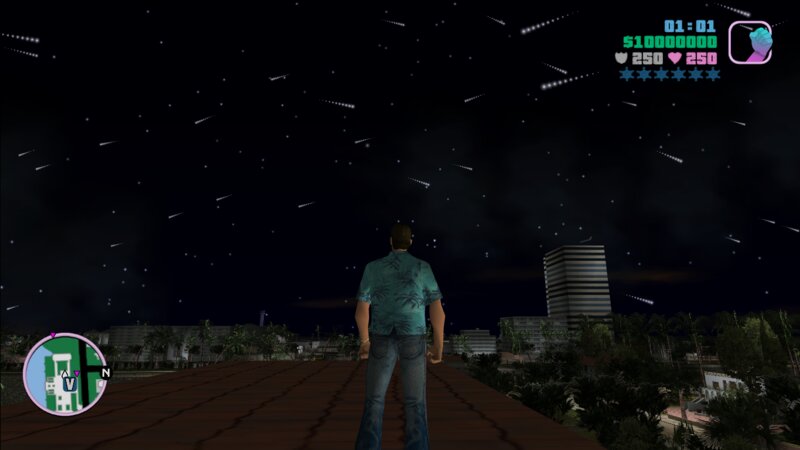
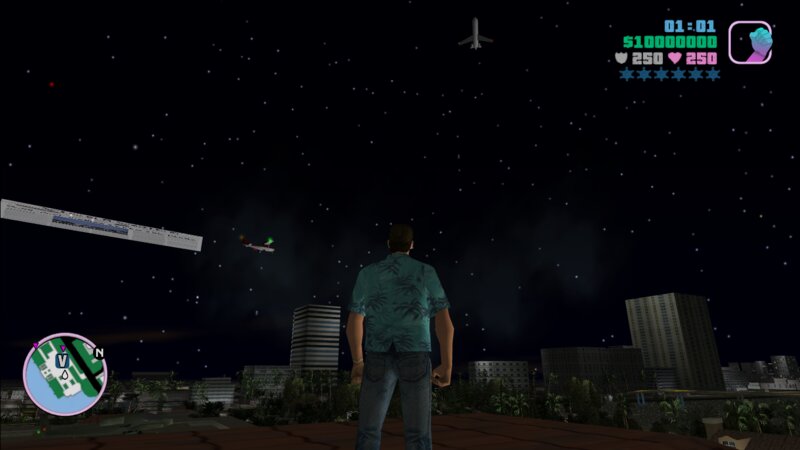
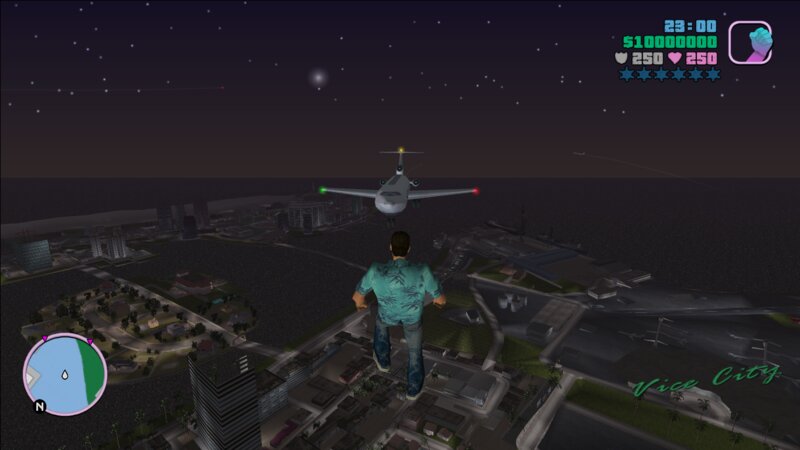
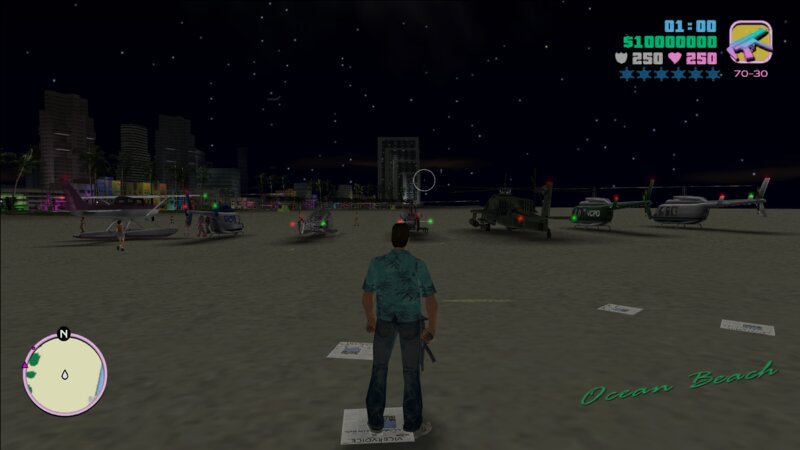
● Adds hundreds of customizable stars to the night sky. You have full control over their number, size, color, flickering, and visibility hours via an .ini file.
● Removes the restriction that random planes only appear when the player is in an aircraft.
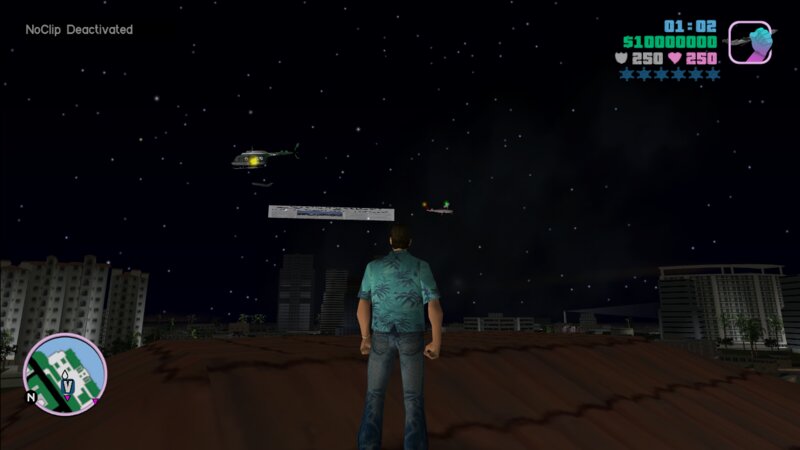
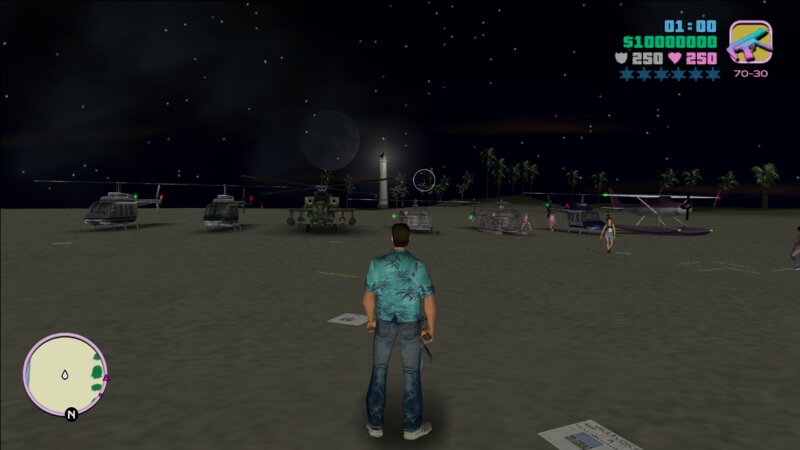
● Adds realistic navigation lights (red, green, strobing tail) to all flyable planes and helicopters, including point lights that illuminate the aircraft body.
● Fixes and enhances the lights of large randomly spawning planes.
● All features use pure mathematical calculations – no external resources, just an ASI with an .ini file. The best you can wish for!
● The stars twinkle realistically, each with its own unique speed and brightness variation.
Installation:
● Copy the contents of the "Mod" folder into your game directory.
● The .asi and .ini files can also be placed inside the "plugins" or "scripts" folders.
● Edit the .ini files to your liking.
Requirements:
● You must have an ASI Loader installed.
● This mod was made for GTA Vice City version 1.0.
Update v2:
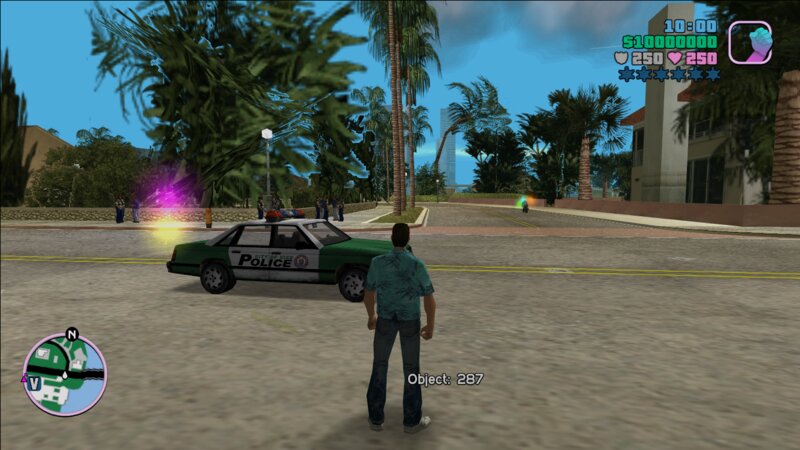
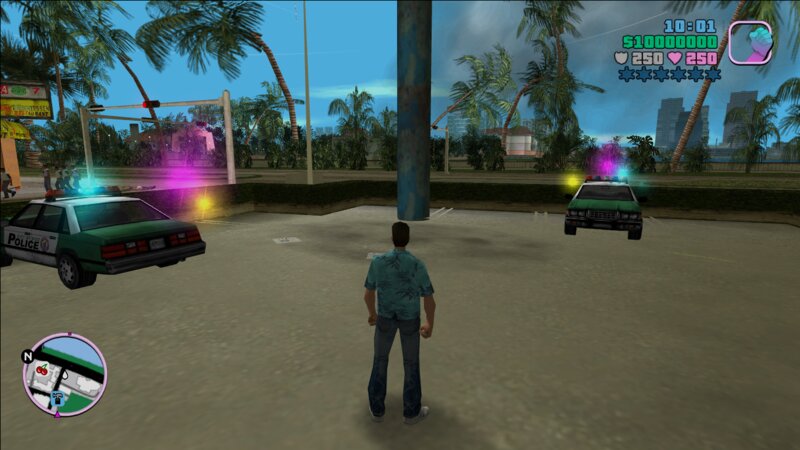
The new update allows you to add shooting stars with full control over them, modify some moon settings, and also customize the R* Easter egg lights. Additionally, a system has been added to attach custom lights to any vehicle using its model ID. You will find explanations for all settings in the ReadMe file.
● I've also kept the first version (the simple one without these features) if you don't need them or don't want to bother with complex settings.
● I have tested everything myself, so there are no issues on my end. If you encounter any problems, let me know so I can determine if the issue is on my side and can be fixed, or if it's on yours. Since there are other sky mods out there, they will most likely conflict with my modifications. You can address this by reducing the number of stars, disabling shooting stars, or experimenting with settings.
● You may think this mod is great—well, I have some other nice modifications of different types and also similar ones (game enhancements). So for now, enjoy this mod. To save yourself a headache, adjust the values in the config file once and forget about it—don't keep reopening it, or you'll end up hating both the mod and yourself.
● Also, sections like [Veh_1] and [Veh_2] along with their settings should be deleted. They are only there as examples to show you how to add lights to any vehicle. And don't forget to read the ReadMe file—it's important for understanding everything.
● Thank you, that's all for the new update.
Enjoy the new skies of Vice City! If you like this mod or encounter any issues, please let me know. You are free to use it in your own mods, but please credit me.
More amazing features are coming soon... stay tuned!
Update v2.1:
The new update gives you control over the gradual appearance and disappearance of stars at night, and you can now adjust the size of vehicle lights and set specific hours for them to turn on and off. The aircraft lights that were previously hardcoded into the ASI are now fully under your control through the config file. You can also add a new option called Point Light, which makes the light reflect on the aircraft body or any nearby objects, just like the old hardcoded behavior. There is a setting to control the distance of the point light between the center of the vehicle and the corona position, a setting for its direction, and a setting to make the light point toward the center of the vehicle if you want. You can also offset its position in any direction: right, forward, or up.
● I have kept the previous versions and everything still works. If you do not want to deal with these new settings, just do not add them to the config, and the default values will take over. Some bugs have also been fixed, and performance has been improved.
● Note: The previous simple versions have issues, so do not download them for your own benefit, as I will not fix them. Use the new version instead. Delete the custom vehicle lights section if you want, and keep only the aircraft lights within that section.
● Sections like the old aircraft ones are now editable by you, and their values are already set. If you want to disable a whole section, just add "off" after "Veh_" in its name, and it will be skipped entirely.
● Read the ReadMe file to understand every setting. Any variable you see in one section can be added to any other section and it will work. Do not overcomplicate things for yourself—set the config once and enjoy.
Update v2.2:
This update adds:
● Gradual fade-in and fade-out for both the R letter and the star, just like the stars already had.
● Weather state checking for stars, shooting stars, R letter, star, and three flying trails – they now automatically hide during cloudy, rainy, foggy, hurricane, or extra colours weather.
● Start Delay for custom vehicle lights – allows sequential lighting effects (lights turn on one after another with precise timing).
All new settings are fully documented in the ReadMe file.
Bug fixes and performance improvements.
Update v2.3:
● The problem of the icon disappearing while flying has been fixed. It was a strange problem, but it has been solved.
● The old versions have been removed because they contain many errors and lack features.
Update v2.4:
Bug fixes.
Special thanks to John9 and Jhonny N6 for reporting several bugs that helped improve this mod.
Enjoy!
● Adds hundreds of customizable stars to the night sky. You have full control over their number, size, color, flickering, and visibility hours via an .ini file.
● Removes the restriction that random planes only appear when the player is in an aircraft.
● Adds realistic navigation lights (red, green, strobing tail) to all flyable planes and helicopters, including point lights that illuminate the aircraft body.
● Fixes and enhances the lights of large randomly spawning planes.
● All features use pure mathematical calculations – no external resources, just an ASI with an .ini file. The best you can wish for!
● The stars twinkle realistically, each with its own unique speed and brightness variation.
Installation:
● Copy the contents of the "Mod" folder into your game directory.
● The .asi and .ini files can also be placed inside the "plugins" or "scripts" folders.
● Edit the .ini files to your liking.
Requirements:
● You must have an ASI Loader installed.
● This mod was made for GTA Vice City version 1.0.
Update v2:
The new update allows you to add shooting stars with full control over them, modify some moon settings, and also customize the R* Easter egg lights. Additionally, a system has been added to attach custom lights to any vehicle using its model ID. You will find explanations for all settings in the ReadMe file.
● I've also kept the first version (the simple one without these features) if you don't need them or don't want to bother with complex settings.
● I have tested everything myself, so there are no issues on my end. If you encounter any problems, let me know so I can determine if the issue is on my side and can be fixed, or if it's on yours. Since there are other sky mods out there, they will most likely conflict with my modifications. You can address this by reducing the number of stars, disabling shooting stars, or experimenting with settings.
● You may think this mod is great—well, I have some other nice modifications of different types and also similar ones (game enhancements). So for now, enjoy this mod. To save yourself a headache, adjust the values in the config file once and forget about it—don't keep reopening it, or you'll end up hating both the mod and yourself.
● Also, sections like [Veh_1] and [Veh_2] along with their settings should be deleted. They are only there as examples to show you how to add lights to any vehicle. And don't forget to read the ReadMe file—it's important for understanding everything.
● Thank you, that's all for the new update.
Enjoy the new skies of Vice City! If you like this mod or encounter any issues, please let me know. You are free to use it in your own mods, but please credit me.
More amazing features are coming soon... stay tuned!
Update v2.1:
The new update gives you control over the gradual appearance and disappearance of stars at night, and you can now adjust the size of vehicle lights and set specific hours for them to turn on and off. The aircraft lights that were previously hardcoded into the ASI are now fully under your control through the config file. You can also add a new option called Point Light, which makes the light reflect on the aircraft body or any nearby objects, just like the old hardcoded behavior. There is a setting to control the distance of the point light between the center of the vehicle and the corona position, a setting for its direction, and a setting to make the light point toward the center of the vehicle if you want. You can also offset its position in any direction: right, forward, or up.
● I have kept the previous versions and everything still works. If you do not want to deal with these new settings, just do not add them to the config, and the default values will take over. Some bugs have also been fixed, and performance has been improved.
● Note: The previous simple versions have issues, so do not download them for your own benefit, as I will not fix them. Use the new version instead. Delete the custom vehicle lights section if you want, and keep only the aircraft lights within that section.
● Sections like the old aircraft ones are now editable by you, and their values are already set. If you want to disable a whole section, just add "off" after "Veh_" in its name, and it will be skipped entirely.
● Read the ReadMe file to understand every setting. Any variable you see in one section can be added to any other section and it will work. Do not overcomplicate things for yourself—set the config once and enjoy.
Update v2.2:
This update adds:
● Gradual fade-in and fade-out for both the R letter and the star, just like the stars already had.
● Weather state checking for stars, shooting stars, R letter, star, and three flying trails – they now automatically hide during cloudy, rainy, foggy, hurricane, or extra colours weather.
● Start Delay for custom vehicle lights – allows sequential lighting effects (lights turn on one after another with precise timing).
All new settings are fully documented in the ReadMe file.
Bug fixes and performance improvements.
Update v2.3:
● The problem of the icon disappearing while flying has been fixed. It was a strange problem, but it has been solved.
● The old versions have been removed because they contain many errors and lack features.
Update v2.4:
Bug fixes.
Special thanks to John9 and Jhonny N6 for reporting several bugs that helped improve this mod.
Enjoy!
Komentarze
Liczba dodanych komentarzy: 0.