Vice City / Mody / Mody
Radar Map Zoom Vice City
- WastedHymn | dodane przez WastedHymn
- 08/17/2025
- 1210 Pobrania
Oceny:
Najpierw się zaloguj.
Ulubione:
Pobierz
103.50Kb
Odsetek antywirusów, które wykryły zagrożenie: 0%
Zobacz raport skanowania antywirusowego
103.50Kb
Odsetek antywirusów, które wykryły zagrożenie: 0%
Zobacz raport skanowania antywirusowego
Videos

Zaloguj się, żeby dodać film do tego moda.
Opis
|DESCRIPTION|
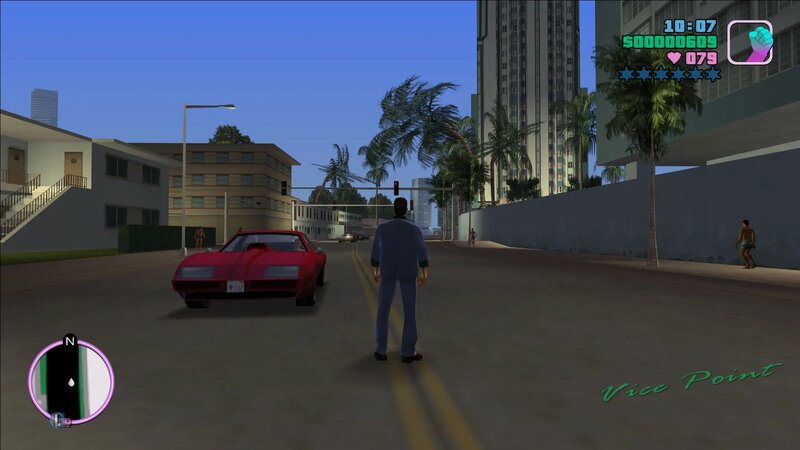
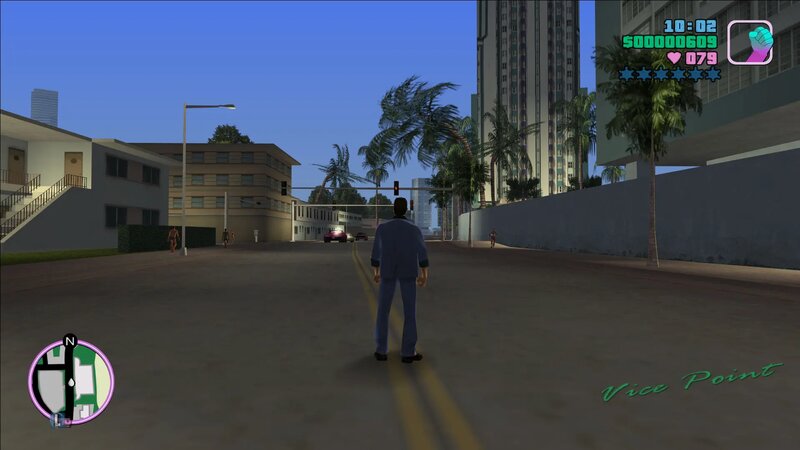
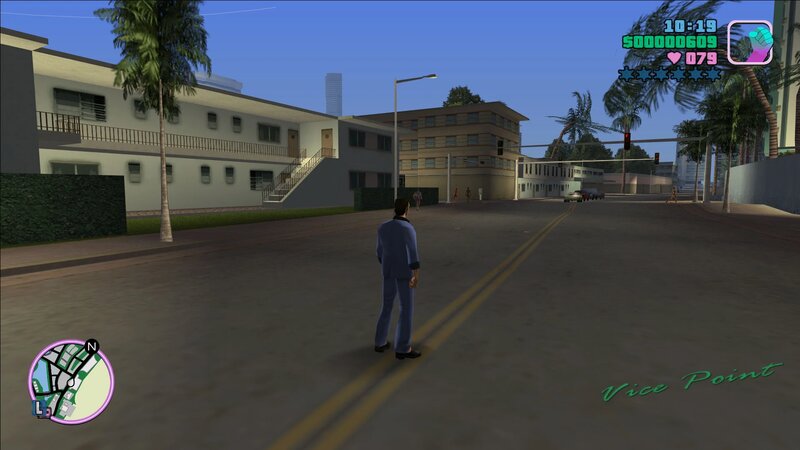
With this mod, you can easily zoom in or out of the radar map using 'T', '+' and '-' buttons, giving you a better view of your surroundings in Vice City. Whether you're on foot or in a vehicle, this mod lets you quickly adjust your radar zoom to help you navigate and stay aware of your surroundings. This mod is perfect for those who want more control over their in-game radar and an improved gaming experience overall. The gameplay videos are from GTA 3 but the mod is working same in Vice City.
|REQUIREMENTS|
Ultimate ASI Loader and version 1.0 game exe file.
|INSTALLATION|
Select the "RadarZoom.VC.asi" file.
Paste the file into the scripts folder(../Grand Theft Auto Vice City Install Location/scripts).
|CONTROLS|
Hold T key to zoom out.
Press Numpad Minus("-") Key to zoom out.
Press Numpad Plus("+") Key to zoom in.
Press Numpad Multiply("*") Key to reset zoom value.
With this mod, you can easily zoom in or out of the radar map using 'T', '+' and '-' buttons, giving you a better view of your surroundings in Vice City. Whether you're on foot or in a vehicle, this mod lets you quickly adjust your radar zoom to help you navigate and stay aware of your surroundings. This mod is perfect for those who want more control over their in-game radar and an improved gaming experience overall. The gameplay videos are from GTA 3 but the mod is working same in Vice City.
|REQUIREMENTS|
Ultimate ASI Loader and version 1.0 game exe file.
|INSTALLATION|
Select the "RadarZoom.VC.asi" file.
Paste the file into the scripts folder(../Grand Theft Auto Vice City Install Location/scripts).
|CONTROLS|
Hold T key to zoom out.
Press Numpad Minus("-") Key to zoom out.
Press Numpad Plus("+") Key to zoom in.
Press Numpad Multiply("*") Key to reset zoom value.
Komentarze
Liczba dodanych komentarzy: 2.

 good mod