Vice City / Android/iOS / Mody
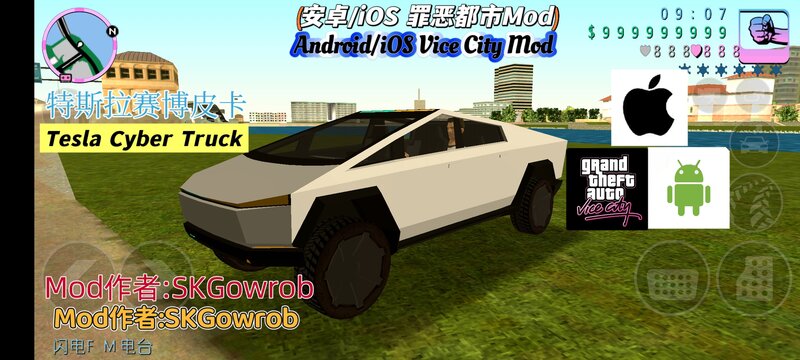
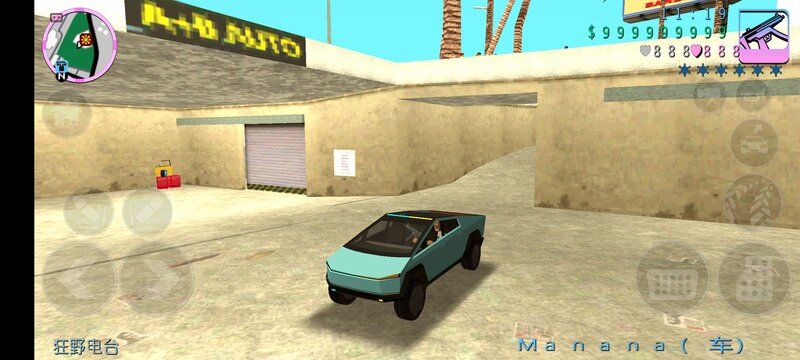
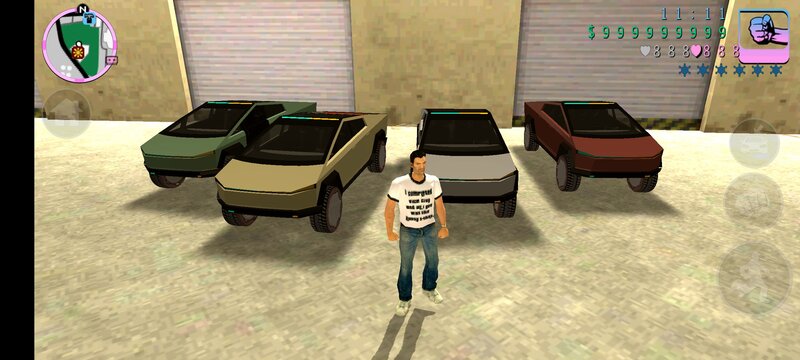
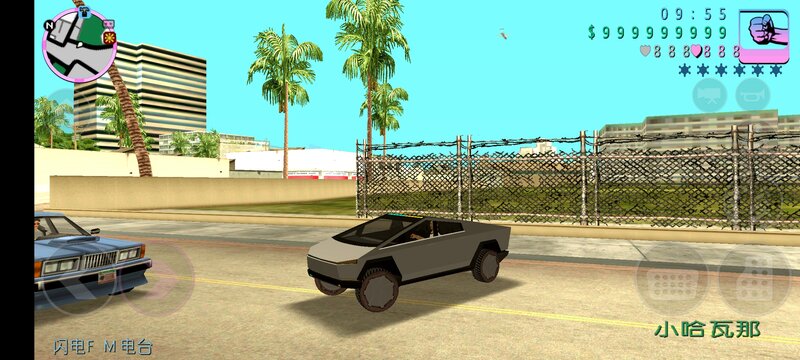
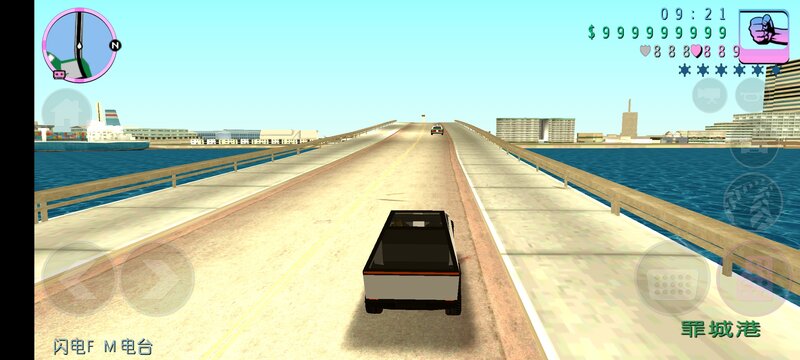
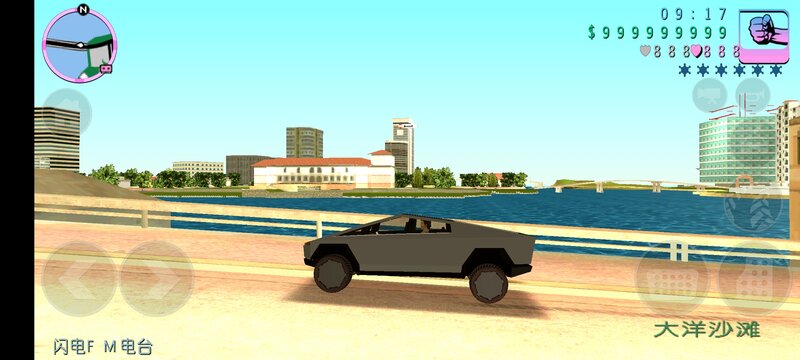
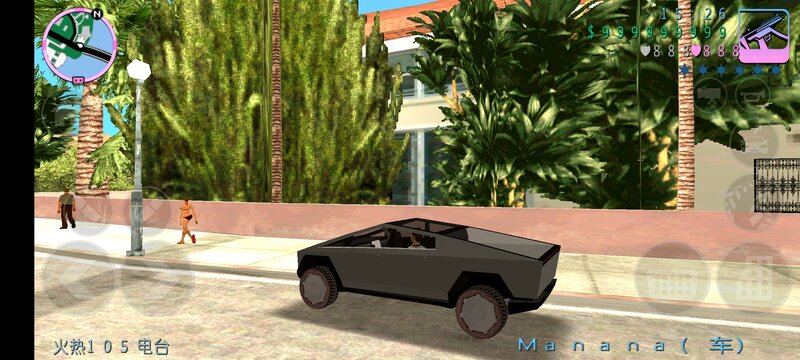
Tesla Cyber Truck for Mobile
- GTA Little Soup Soup | dodane przez GTALittleSoupSoup
- 04/20/2025
- 3901 Pobrania
Oceny:
Najpierw się zaloguj.
Ulubione:
Pobierz
304.98Kb
Odsetek antywirusów, które wykryły zagrożenie: 0%
Zobacz raport skanowania antywirusowego
304.98Kb
Odsetek antywirusów, które wykryły zagrożenie: 0%
Zobacz raport skanowania antywirusowego
Filmy
Nie dodano jeszcze filmów.Zaloguj się, żeby dodać film do tego moda.
Opis
【Mod Author】SKGowrob
【Introduction】The body lines are horizontal and vertical, with geometric corners and angular designs, which are full of a strong sense of futurism and individuality, presenting a strong cyberpunk style in appearance. The exoskeleton structure body is made of super-hard 30X cold-rolled stainless steel material. It is not only sturdy and durable, capable of reducing surface dents, damage, and corrosion caused by long-term use, but also has a very high degree of recognition. The light strip running through the front of the car and the headlights located in the narrow area between the front of the car and the lower surround enhance the visual impact of the front face. The rear of the car is equipped with a long and narrow through-type taillight, which echoes the light strip on the front face, and has a quite high degree of recognition.
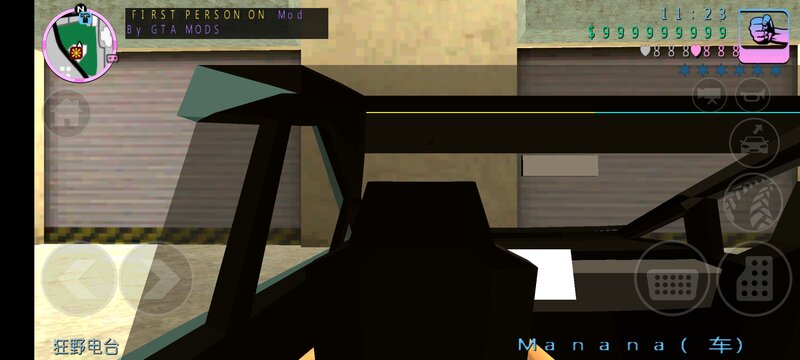
The model is more than 200kb in total. The replacement model is manana.dff (a two-seater sedan). You need to prepare the ES File Explorer, TXD TOOL, and IMG TOOL.
1. Open the ES File Explorer, click on Internal Storage, click on Android, click on obb, find the folder with the Grand Theft Auto: Vice City icon and click to enter. Rename the file inside and add a ".obb" at the end. Then click on the compressed package, and extract the veh_high.img and veh_high.dir in the texdb of the two obb files, as well as the files named gta3hi (two img files for replacing vehicles and ten files named gta3hi). Unzip them to Android/data/com.rockstargames.gtavc/files. If you exit after compression, remove the ".zip" to make it return to its original state. If you don't change it, you won't be able to enter the game. Then take the dff.zip and txd.zip in this compressed package file, as well as cleo.zip (which contains dff and txd, and also the vehicle tire data).
2. Click on IMG TOOL, open the veh_high.img in the texdb file, search for manana.dff, click "Delete" to remove it, click the three dots in the upper right corner, and then click Add File(s). Select the Tesla Cybertruck (manana.dff) after unzipping the dff.zip and add it in.
3. Then open TXD TOOL, click the icon of the first picture in the lower right corner in gta3hi.txt, click Umcompressed 32bpp, click Select All Pictures, and then click the checkmark. Then click Overlay Texture (just overlay the texture).
4. Finally, unzip the cleo.zip, then long-press the two folders, data and models, and move them to /Android/data/com.rockstargames.gtavc/files.
【Introduction】The body lines are horizontal and vertical, with geometric corners and angular designs, which are full of a strong sense of futurism and individuality, presenting a strong cyberpunk style in appearance. The exoskeleton structure body is made of super-hard 30X cold-rolled stainless steel material. It is not only sturdy and durable, capable of reducing surface dents, damage, and corrosion caused by long-term use, but also has a very high degree of recognition. The light strip running through the front of the car and the headlights located in the narrow area between the front of the car and the lower surround enhance the visual impact of the front face. The rear of the car is equipped with a long and narrow through-type taillight, which echoes the light strip on the front face, and has a quite high degree of recognition.
The model is more than 200kb in total. The replacement model is manana.dff (a two-seater sedan). You need to prepare the ES File Explorer, TXD TOOL, and IMG TOOL.
1. Open the ES File Explorer, click on Internal Storage, click on Android, click on obb, find the folder with the Grand Theft Auto: Vice City icon and click to enter. Rename the file inside and add a ".obb" at the end. Then click on the compressed package, and extract the veh_high.img and veh_high.dir in the texdb of the two obb files, as well as the files named gta3hi (two img files for replacing vehicles and ten files named gta3hi). Unzip them to Android/data/com.rockstargames.gtavc/files. If you exit after compression, remove the ".zip" to make it return to its original state. If you don't change it, you won't be able to enter the game. Then take the dff.zip and txd.zip in this compressed package file, as well as cleo.zip (which contains dff and txd, and also the vehicle tire data).
2. Click on IMG TOOL, open the veh_high.img in the texdb file, search for manana.dff, click "Delete" to remove it, click the three dots in the upper right corner, and then click Add File(s). Select the Tesla Cybertruck (manana.dff) after unzipping the dff.zip and add it in.
3. Then open TXD TOOL, click the icon of the first picture in the lower right corner in gta3hi.txt, click Umcompressed 32bpp, click Select All Pictures, and then click the checkmark. Then click Overlay Texture (just overlay the texture).
4. Finally, unzip the cleo.zip, then long-press the two folders, data and models, and move them to /Android/data/com.rockstargames.gtavc/files.
Komentarze
Liczba dodanych komentarzy: 3.