San Andreas / Narzędzia / Inne narzędzia
GTA SA Car Rename V1.1
- Prica | dodane przez Prica
- 04/20/2017
- 39969 Pobrania
Oceny:
Najpierw się zaloguj.
Ulubione:
Pobierz
921.03Kb
921.03Kb

Filmy
Nie dodano jeszcze filmów.Zaloguj się, żeby dodać film do tego moda.
Opis
********************************************************************************
Description
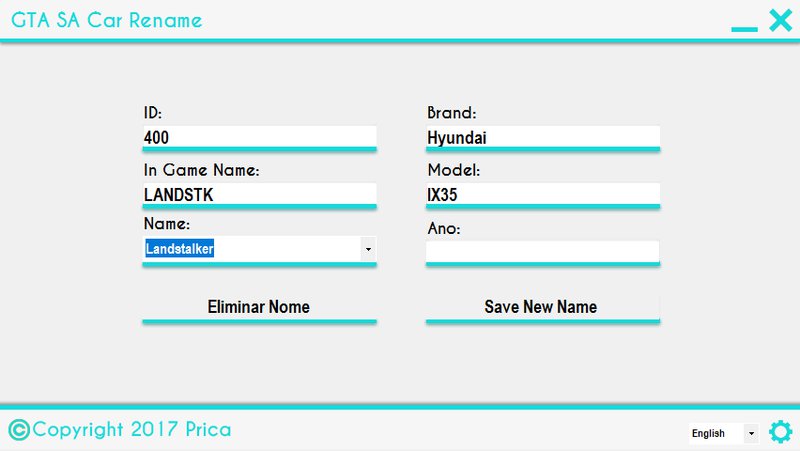
Everyone has already tried to change the name of some vehicle in GTA SA, right? Some found it complicated... Others impossible .... Others with so many attempts they got! But this tool is for all modder's of GTA SA
A simple tool is just open choose the car for which you want to replace the name, refer brand and model and save ... Even simple so I swear!
Installation
Only execut the installation file!
How To Use
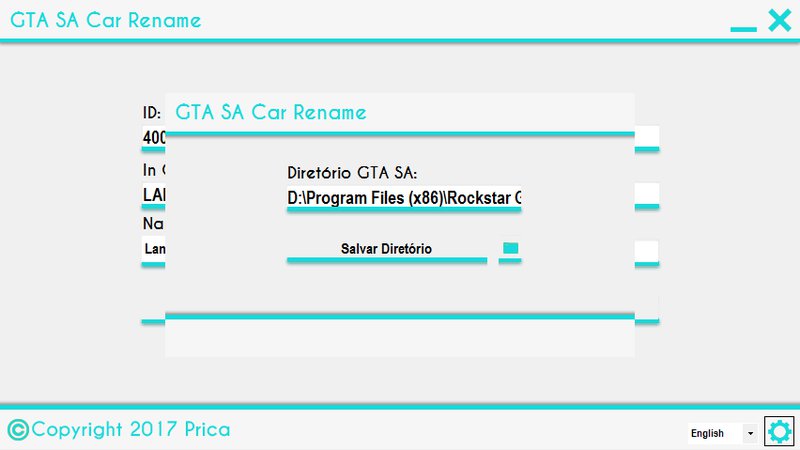
1º First time, Choose the directory of GTA SA!
2º Choose name car that you want to replace name!
3º Give a brand name and a model name (you can just give one name on brand textbox and leave model textbox clear)
4º Save New Name
5º Open GTA SA and be happy
(Optional Step) Choose the language (Portuguese|English)
Credits
You can share this tool.. but redirect to main page, and give credits to me!
What is new?
- Delete buttom to reset name of gta sa car!
- Year Textbox!
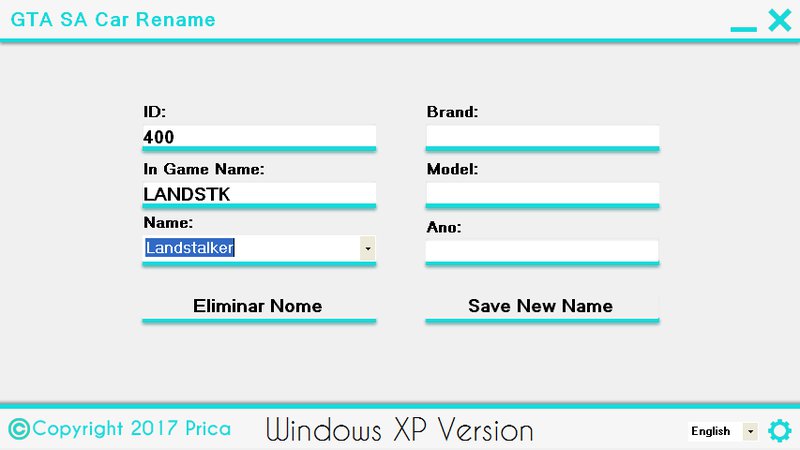
- Windows XP Version!
Fix the ID 498 missing
-To fix the problem just take "GTASACARS.xml" that you donwload and replace the old one on GTA SA Car Renamer installation folder.
Download FIX
********************************************************************************
Description
Everyone has already tried to change the name of some vehicle in GTA SA, right? Some found it complicated... Others impossible .... Others with so many attempts they got! But this tool is for all modder's of GTA SA
A simple tool is just open choose the car for which you want to replace the name, refer brand and model and save ... Even simple so I swear!
Installation
Only execut the installation file!
How To Use
1º First time, Choose the directory of GTA SA!
2º Choose name car that you want to replace name!
3º Give a brand name and a model name (you can just give one name on brand textbox and leave model textbox clear)
4º Save New Name
5º Open GTA SA and be happy
(Optional Step) Choose the language (Portuguese|English)
Credits
You can share this tool.. but redirect to main page, and give credits to me!
What is new?
- Delete buttom to reset name of gta sa car!
- Year Textbox!
- Windows XP Version!
Fix the ID 498 missing
-To fix the problem just take "GTASACARS.xml" that you donwload and replace the old one on GTA SA Car Renamer installation folder.
Download FIX
********************************************************************************
Komentarze
Liczba dodanych komentarzy: 30.

12/21/2024 20:04
Hey guys. For those who ran into the same issue as my with the ID 498 and not being able to download the fixed .xml since zippyshare is down, you can fix the .xml yourself by doing the following.
Open the GTASACARS.xml in the GTA SA Car Rename folder with notepad (I use Notepad++)
Scroll Down to the end where you will find ID 609 (Boxburg).
Rename the <name>Boxville</name> to <name>Boxburg</name>.
Save the file and open the application.
You will now be able to edit ID 498.
The reason this happened is because Boxburg 609 And Boxville 498 shared the same name, thus screwing with the program.
Enjoy.
Cytuj | Odpowiedz | (0)
Hey guys. For those who ran into the same issue as my with the ID 498 and not being able to download the fixed .xml since zippyshare is down, you can fix the .xml yourself by doing the following.
Open the GTASACARS.xml in the GTA SA Car Rename folder with notepad (I use Notepad++)
Scroll Down to the end where you will find ID 609 (Boxburg).
Rename the <name>Boxville</name> to <name>Boxburg</name>.
Save the file and open the application.
You will now be able to edit ID 498.
The reason this happened is because Boxburg 609 And Boxville 498 shared the same name, thus screwing with the program.
Enjoy.
Cytuj | Odpowiedz | (0)












 (Right now... im downloading Windows XP to test by myself a new version)