San Andreas / Mody / Mody
Grand Theft Strike 1.6 .ASI mod v1.1.14
- DDw | dodane przez DDw
- 11/18/2026 (Ostatnia aktualizacja: 11/25/2026)
- 647 Pobrania
Oceny:
Najpierw się zaloguj.
Ulubione:
12.31Mb
Odsetek antywirusów, które wykryły zagrożenie: 0%
Zobacz raport skanowania antywirusowego
Filmy
Zaloguj się, żeby dodać film do tego moda.
Opis
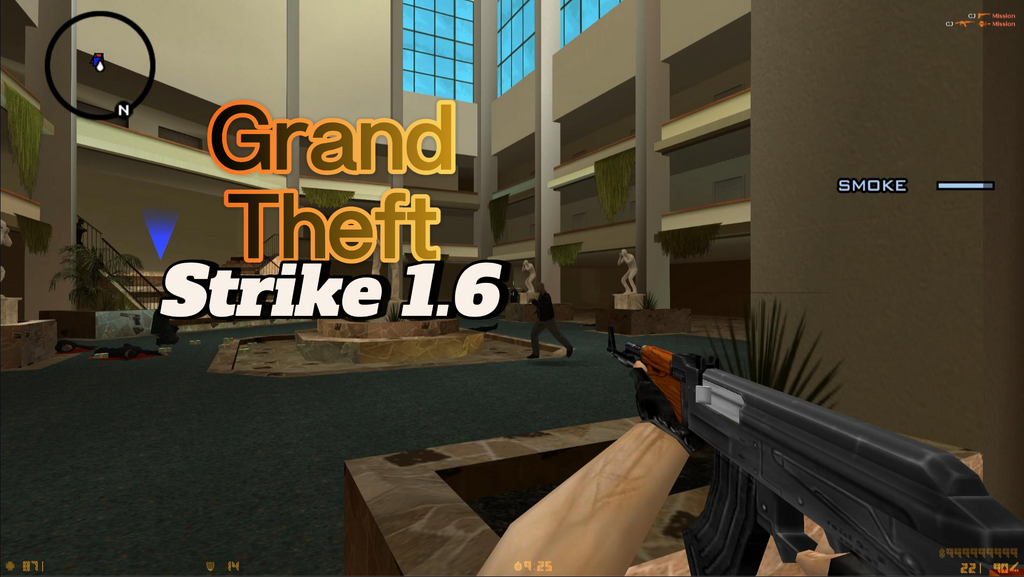
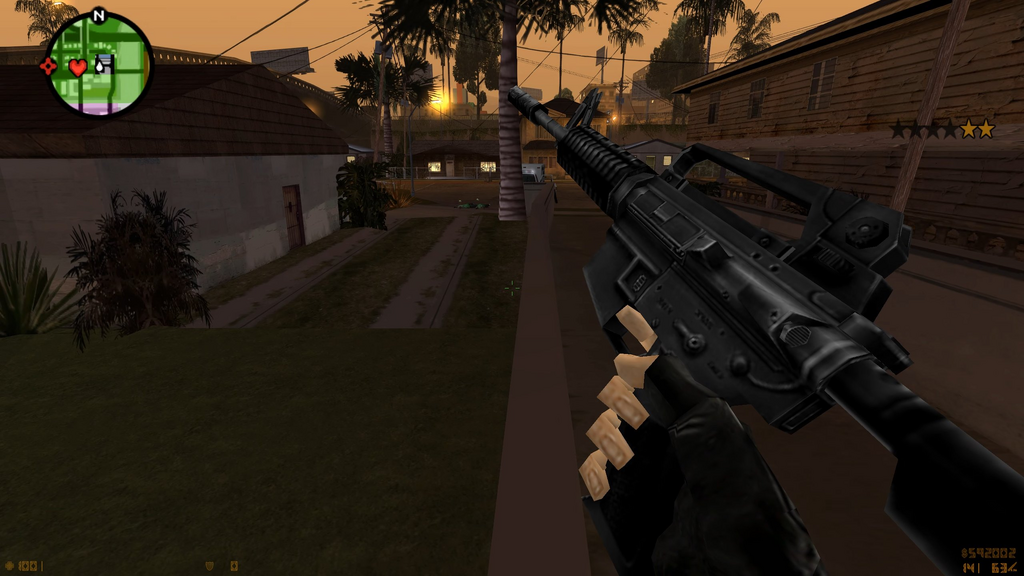
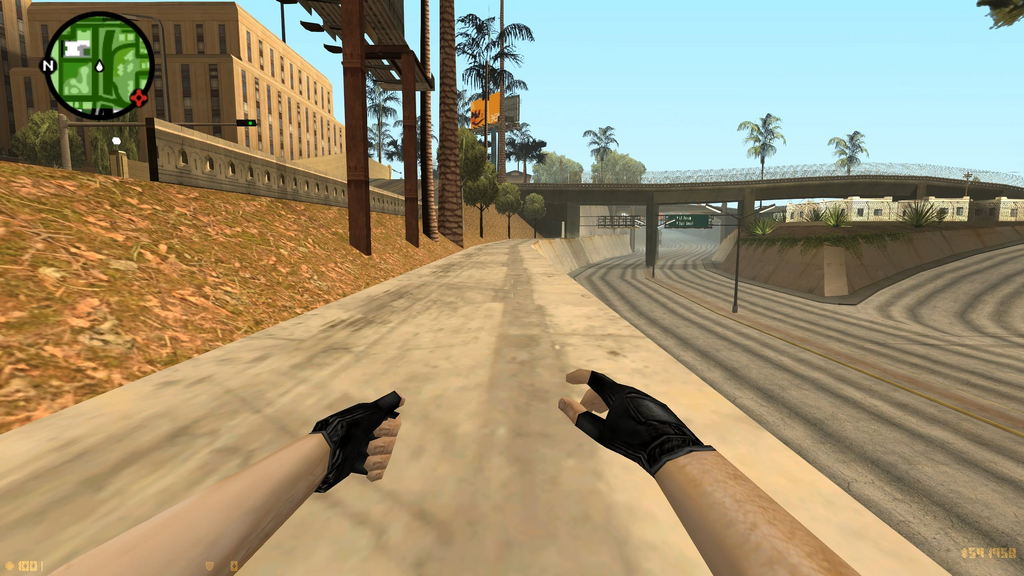
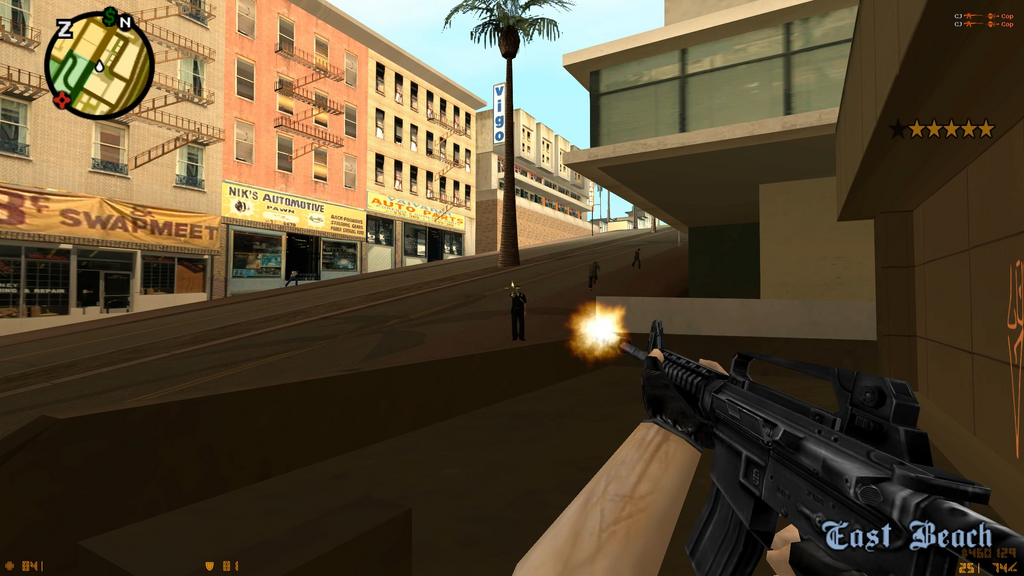
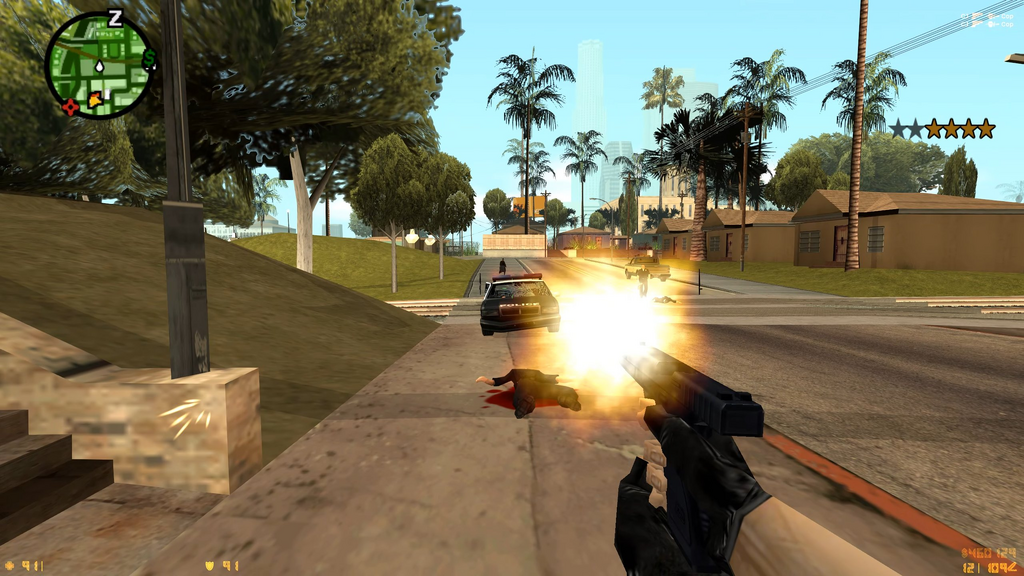
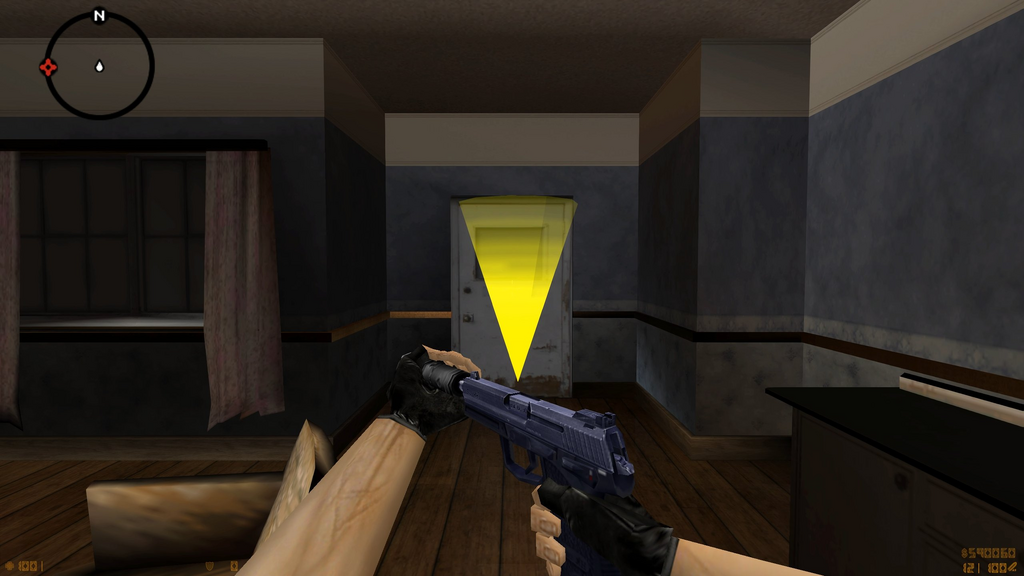
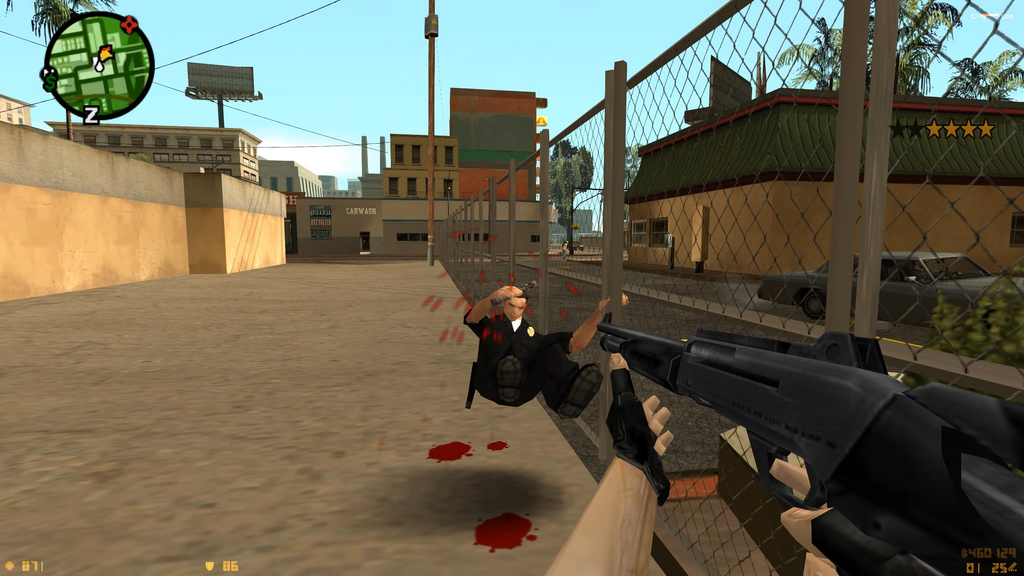
Counter-Strike 1.6 gameplay merged into GTA San Andreas v1.1.14. Less buggy, still playable.
What it's made of:
- GTA San Andreas 1.0 US
- ZHalfLifeSA – a mod that gives SA Half-Life style movement and the first-person view
- my plugin (CS16GTA.asi) on top, with the CS 1.6 weapon models, sounds and HUD. Some extra weapon models are from GameBanana and other sites
What it does:
- Movement: CS 1.6 feel – bhop, air strafing, CS weapon speeds (knife fastest, AWP slowest), landing slowdown, Shift to walk silently (GTA counts it as sneaking too), full up/down look
- Weapons: every GTA weapon gets a CS 1.6 or Half-Life viewmodel. Guns use real CS 1.6 stats. (damage, spread, recoil patterns, fire rate, mag sizes, reserve ammo, reload times, wall penetration(kinda))
- Extras: AWP/Scout two-level scope, USP/M4 silencer on right click, CS grenades, minigun works as the M249, CS knife animations
- HUD: CS 1.6 health/armor/ammo HUD, crosshair, kill feed top right, radar moved to the top left
- Weapon slots on 1-6 like CS (1 primary, 2 pistol, 3 melee, 4 grenades...)
- Missions all work (kinda): wall climbing, carrying boxes, drive-by / on-rail parts in first person
- Tweaks: HP/armor capped at 100, fall damage, NPCs are solid, Ammo is capped at CS 1.6 levels.
- Weapon fast switch (configurable in the ingame menu)
-Everything can be enabled or disabled through the INI file, while the main settings can also be configured in the in-game "CS16GTA" menu.
GRAND THEFT STRIKE 1.6 – Installation guide
============================================
CS16GTA mod v1.1.14 – Counter-Strike 1.6 gameplay in GTA San Andreas
Grand Theft Strike 1.6 brings CS 1.6 weapons, HUD, sounds and Half-Life movement
into GTA San Andreas. The story missions stay playable.
This package contains only this mod. You need a few other mods too (section 1).
Download those separately.
1. WHAT YOU NEED
----------------
REQUIRED (the mod will not work without these):
[ ] GTA San Andreas 1.0 US (gta_sa.exe, the 1.0 US)
NOT supported: Steam, Rockstar Launcher, Definitive Edition, 1.0 EU.
The mod uses fixed memory addresses that exist only in 1.0 US.
[ ] An ASI loader: Ultimate ASI Loader (by ThirteenAG)
It loads the .asi mods. Its files in the game folder: vorbisFile.dll + vorbisHooked.dll.
The easiest way to get it: the SA.CLEO v5.5.0 + Silent ASI Loader installer,
which installs the ASI loader together with CLEO.
Link: github.com/cleolibrary/CLEO5/releases/tag/v5.5.0
[ ] ZHalfLifeSA v23.06.22.1 (EXACTLY this version)
Provides the Half-Life / CS movement (bhop, jumping, acceleration).
Files: ZHalfLifeSA.asi + the HL_SFX folder (it creates the ZMenu folder by itself).
Any other version will not work: the mod uses ZHalfLife's internal addresses
(speed, fall damage, climbing, NPC collision).
Link: zolika1351.pages.dev/mods/sahalflife
RECOMMENDED (optional):
[ ] SilentPatchSA: scripts\SilentPatchSA.asi + .ini (bug fixes)
[ ] GTASA.WidescreenFix: scripts\GTASA.WidescreenFix.asi + .ini (widescreen support)
2. INSTALLATION – STEP BY STEP
------------------------------
1. Install GTA San Andreas 1.0 US.
2. Install the ASI loader (e.g. with the SA.CLEO v5.5.0 + Silent ASI Loader installer).
3. Copy ZHalfLifeSA v23.06.22.1 into the game folder (ZHalfLifeSA.asi + HL_SFX).
4. Optional: copy SilentPatchSA and WidescreenFix into the game's scripts folder.
5. Open the "CS16GTA - Copy the Contents to GTA Root folder" folder in this package,
and copy EVERYTHING INSIDE it (not the folder itself) into the GTA San Andreas folder,
the one where gta_sa.exe is. When Windows asks, choose "Replace"
(this overwrites ZHalfLife's own ZHalfLifeSA.ini with the tuned one).
6. Start the game.
After copying, the game folder should contain:
gta_sa.exe
ZHalfLifeSA.asi (from ZHalfLifeSA)
ZHalfLifeSA.ini (from this package – CS 1.6 movement settings)
CS16GTA.ini (from this package – the mod's settings)
HL_SFX\ (from ZHalfLifeSA)
CS16GTA\models\ (from this package – weapon models)
CS16GTA\sound\weapons\ (from this package – CS 1.6 weapon sounds)
CS16GTA\sprites\ (from this package – HUD, scope, muzzle flash, damage arcs)
scripts\CS16GTA.asi (from this package – the mod itself)
3. DOES IT WORK?
----------------
- After starting the game, a CS16GTA.log file appears in the game folder.
- In game you see the CS 1.6 HUD (health, armor, ammo, money, clock at the bottom centre)
and CS weapon models in first person.
If something is wrong:
- No CS16GTA.log file: the ASI loader is missing, or CS16GTA.asi is not in the scripts folder.
- The CS HUD is there, but the movement is GTA's: ZHalfLifeSA is missing, or it is not v23.06.22.1.
- The game crashes at start: check that the exe is GTA SA 1.0 US.
4. KEYS AND CONTROLS
--------------------
F9 turn the CS16GTA mod on/off in game
F7 ZHalfLife menu (Half-Life movement on/off etc.)
Left Shift CS walk (slow, silent) – also GTA's sneak in missions
L Flashlight - Nightvision - Thermal goggles
Q Weapon fast switch when enabled
Weapon slots:
1 primary weapons: assault rifles -> SMGs -> shotguns -> sniper rifles
-> heavy weapons (RPG, minigun, flamethrower)
2 pistols
3 melee weapons -> "gifts" (flowers, cane, dildos) -> fists
4 grenades, tear gas, Molotovs, satchel charges
5 satchel detonator (GTA's C4)
6 equipment: spray can, fire extinguisher, camera -> goggles, parachute
Melee: hold right click behind someone with the knife, then attack = GTA's stealth kill.
5. SETTINGS
-----------
All settings can be configured in CS16GTA.ini in the game folder, while the main options are also accessible through the in- game "CS16GTA" menu.
Every setting has a short description in the ini.
1 = on, 0 = off. Some examples:
HudScale size of the CS HUD (1.0 = original, e.g. 1.5 for higher resolutions)
CsTimerHud the clock at the bottom centre
FallDamageScale fall damage
RailFirstPerson first-person view in the on-rail shooting missions
UserFilesInGameFolder 1 = GTA's settings and saves go into the UserFiles folder inside the
game folder instead of Documents
Note: the CS 1.6 / Half-Life files are the property of Valve. The GameBanana models belong
to their respective authors.
Komentarze
Liczba dodanych komentarzy: 1.