San Andreas / Mody / Mody CLEO
Ryosuke's Man Portable Missile
- Ryosuke - Restored by Delorean12DMC | dodane przez Delorean12DMC
- 08/23/2018
- 9310 Pobrania
Oceny:
Najpierw się zaloguj.
Ulubione:
Pobierz
18.46Kb
Odsetek antywirusów, które wykryły zagrożenie: 0%
Zobacz raport skanowania antywirusowego
18.46Kb
Odsetek antywirusów, które wykryły zagrożenie: 0%
Zobacz raport skanowania antywirusowego
Videos
Nie dodano jeszcze filmów.Zaloguj się, żeby dodać film do tego moda.
Opis
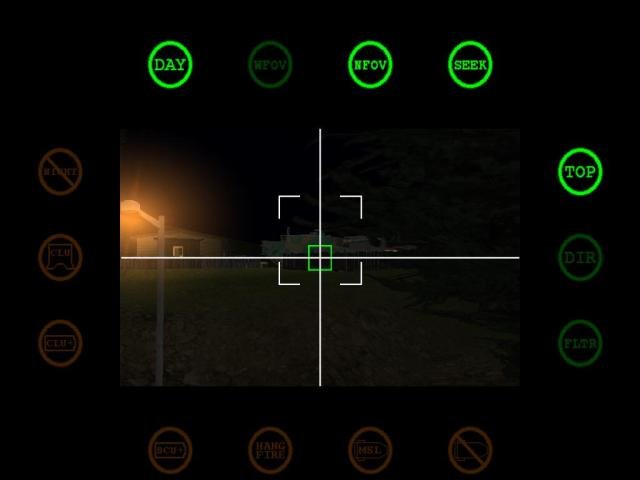
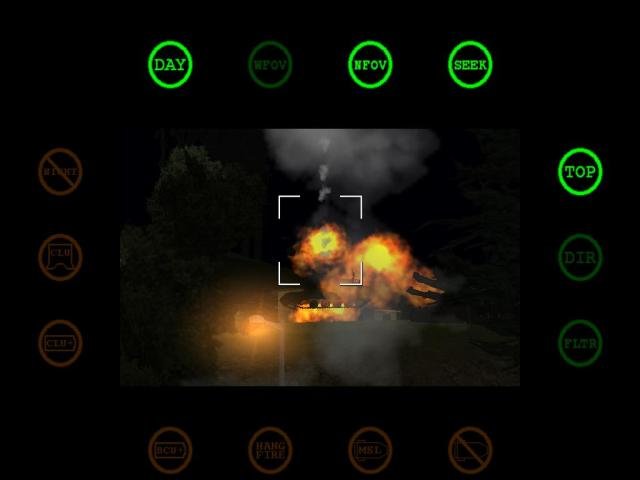
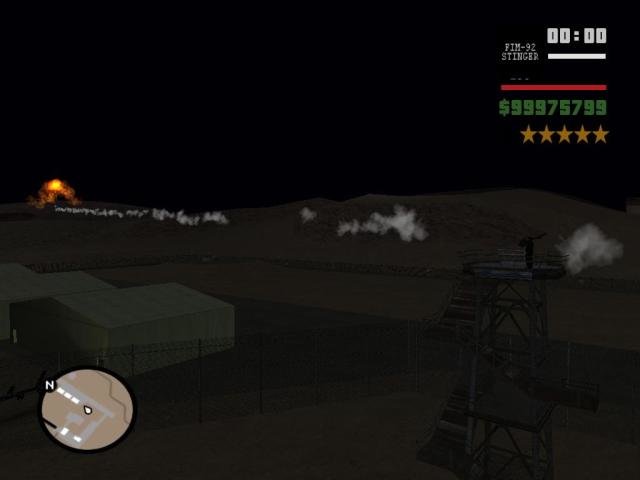
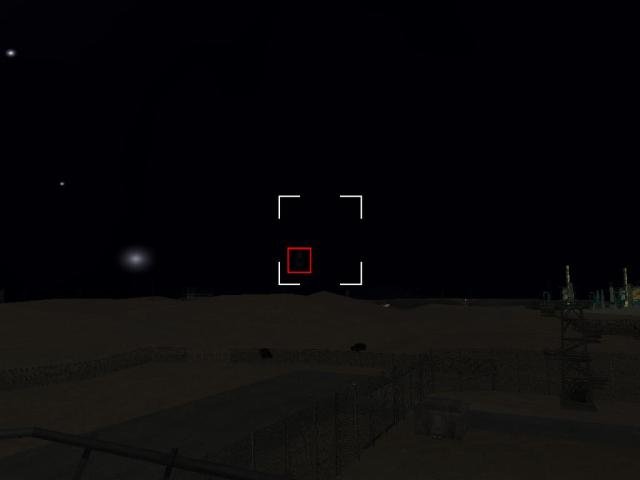
Ryosuke's Man Portable Missile
The Creator of this Mod is Ryosuke. I changed a few things so it will work with CLEO 4. Because there where some Problems with Crashing the Game when activating this Mod.
For further information please visit his Website: http://hotmist.ddo.jp/cleomod/stinger/index.html
All Rights go to Ryosuke
The Creator of this Mod is Ryosuke. I changed a few things so it will work with CLEO 4. Because there where some Problems with Crashing the Game when activating this Mod.
For further information please visit his Website: http://hotmist.ddo.jp/cleomod/stinger/index.html
All Rights go to Ryosuke
Komentarze
Liczba dodanych komentarzy: 10.




05/07/2019 23:09
@fd030501 I was the same problem but finally i made it work, try this, Right Click in GTA SA Launcher and properties, compatibility, set it on compatibility mode for windows XP (Service Pack 3), and execute has administrator, the next step is go to equip or my pc and right click on it, select properties and advanced configuration, in advanced options select perfomance and check Activate DEP For all programs except and you must add the .exe of GTA SA, this should work, i hope this help you, im sorry for my bad english im argentinian
Cytuj | Odpowiedz | (0)
@fd030501 I was the same problem but finally i made it work, try this, Right Click in GTA SA Launcher and properties, compatibility, set it on compatibility mode for windows XP (Service Pack 3), and execute has administrator, the next step is go to equip or my pc and right click on it, select properties and advanced configuration, in advanced options select perfomance and check Activate DEP For all programs except and you must add the .exe of GTA SA, this should work, i hope this help you, im sorry for my bad english im argentinian
Cytuj | Odpowiedz | (0)





08/24/2018 10:19
@hoanghai
@fd030501
Rename "missile.cs" to missile.cs3" and you're done. This didn't work for Man Portable Missile when I tried so I'm happy this mod, which fixes it, came out.
Compatibility Mode [https://cleo.li/]
In very rare circumstances, some scripts written for CLEO 3 may not work while using CLEO 4. However, since CLEO 4.3 you are able to enable a 'legacy mode' to increase compatibility with CLEO 3 scripts by naming them with the extension '.cs3'. CLEO 4.3 will load '.cs' and '.cs4' scripts normally and load '.cs3' scripts in CLEO 3 compatibility mode, in which certain small behaviours of the CLEO library will change to achieve better compatibility with that script. However, most CLEO 3 scripts will work without the need for compatibility mode being set as CLEO 4.3 also detects certain necessary CLEO 3 behaviours. Specifically, scripts which use the uninitialized storage data after a SCM function call to work.
Cytuj | Odpowiedz | (3)
@hoanghai
@fd030501
Rename "missile.cs" to missile.cs3" and you're done. This didn't work for Man Portable Missile when I tried so I'm happy this mod, which fixes it, came out.
Compatibility Mode [https://cleo.li/]
In very rare circumstances, some scripts written for CLEO 3 may not work while using CLEO 4. However, since CLEO 4.3 you are able to enable a 'legacy mode' to increase compatibility with CLEO 3 scripts by naming them with the extension '.cs3'. CLEO 4.3 will load '.cs' and '.cs4' scripts normally and load '.cs3' scripts in CLEO 3 compatibility mode, in which certain small behaviours of the CLEO library will change to achieve better compatibility with that script. However, most CLEO 3 scripts will work without the need for compatibility mode being set as CLEO 4.3 also detects certain necessary CLEO 3 behaviours. Specifically, scripts which use the uninitialized storage data after a SCM function call to work.
Cytuj | Odpowiedz | (3)
08/23/2018 21:45
YES!!!! FINALLY FOR CLEO 4!!! Thank you man! I love it!
Please, if you can, could you make Ryosuke's Cleo 3 missile mod? It does not work for Cleo 4. it's the mod that modified the behavior of missiles to a more realistic speed and movement.
Link of mod:
http://hotmist.ddo.jp/cleomod/missile/index.html
Cytuj | Odpowiedz | (1)
YES!!!! FINALLY FOR CLEO 4!!! Thank you man! I love it!
Please, if you can, could you make Ryosuke's Cleo 3 missile mod? It does not work for Cleo 4. it's the mod that modified the behavior of missiles to a more realistic speed and movement.
Link of mod:
http://hotmist.ddo.jp/cleomod/missile/index.html
Cytuj | Odpowiedz | (1)
08/23/2018 20:53
My favourite cleo mod. One of the first I ever installed. So many memories... Thank you so much for fixing it!
Downloaded this and blasted everything around for 30 minutes. A fun way to use the "Top" mode is to lock a target, launch and switch to another weapon while the missile is still in air and after a bit switch back so the missile reacquires the target and watch it loop in the sky.
Cytuj | Odpowiedz | (2)
My favourite cleo mod. One of the first I ever installed. So many memories... Thank you so much for fixing it!
Downloaded this and blasted everything around for 30 minutes. A fun way to use the "Top" mode is to lock a target, launch and switch to another weapon while the missile is still in air and after a bit switch back so the missile reacquires the target and watch it loop in the sky.
Cytuj | Odpowiedz | (2)