San Andreas / Mody / Budynki
Bank of America Plaza Remastered plus Bonus
- w3_Mods_Reborn | dodane przez w3_Mods_Reborn
- 07/11/2026
- 892 Pobrania
Oceny:
Najpierw się zaloguj.
Ulubione:
Pobierz
3.01Mb
3.01Mb
Filmy
Nie dodano jeszcze filmów.Zaloguj się, żeby dodać film do tego moda.
Opis
ALWAYS back up your original files before installing this mod!
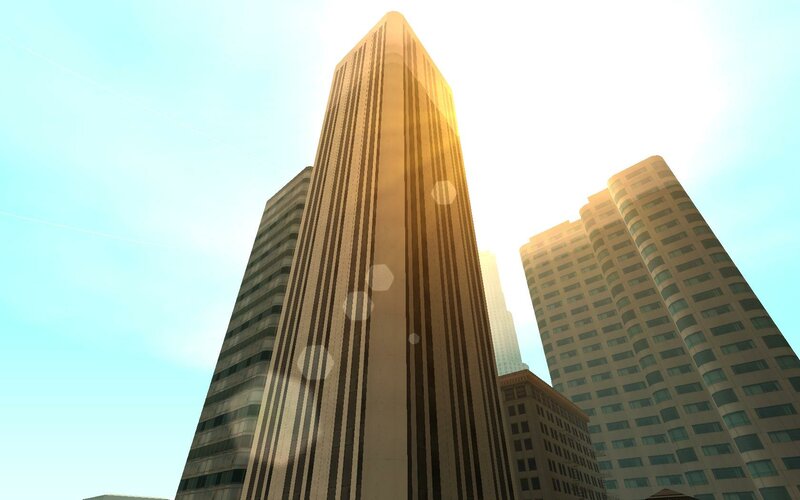
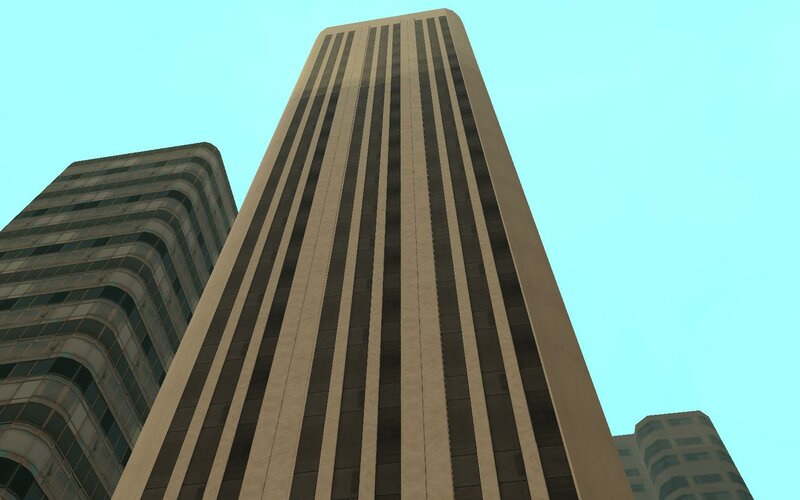
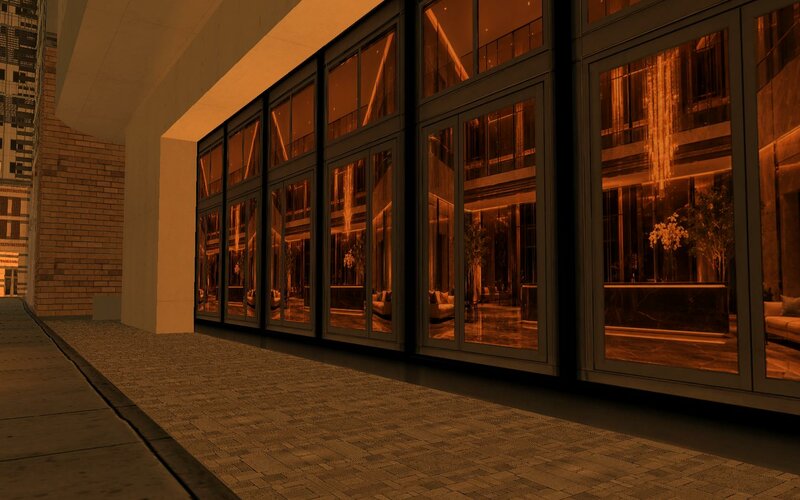
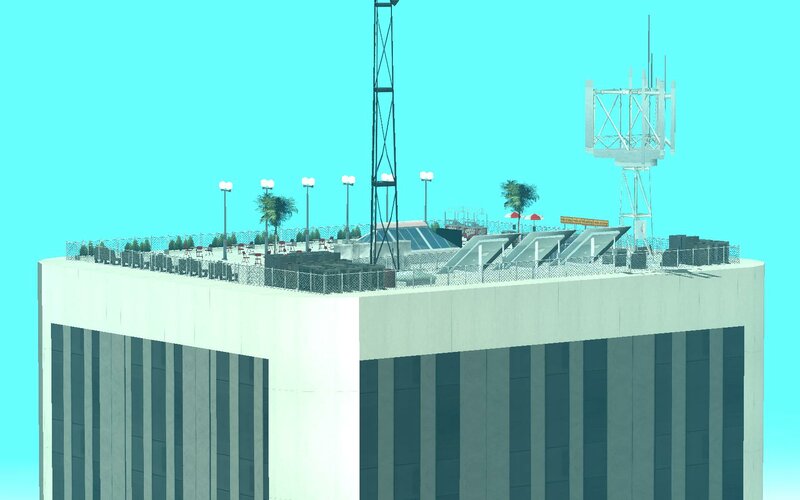
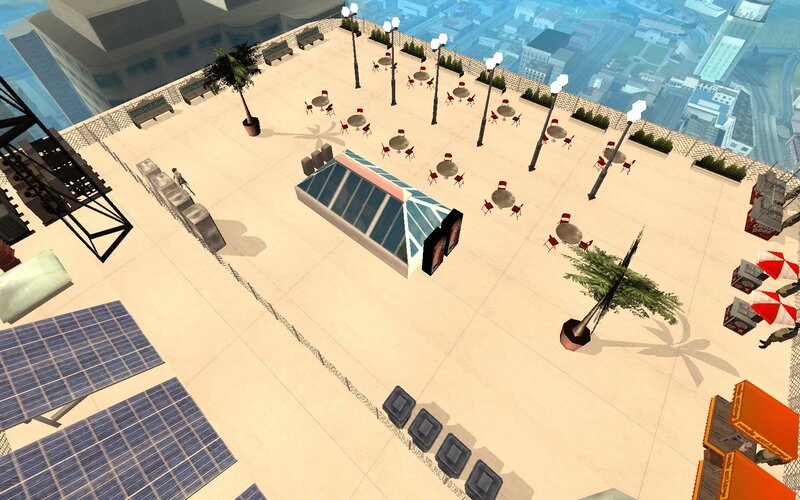
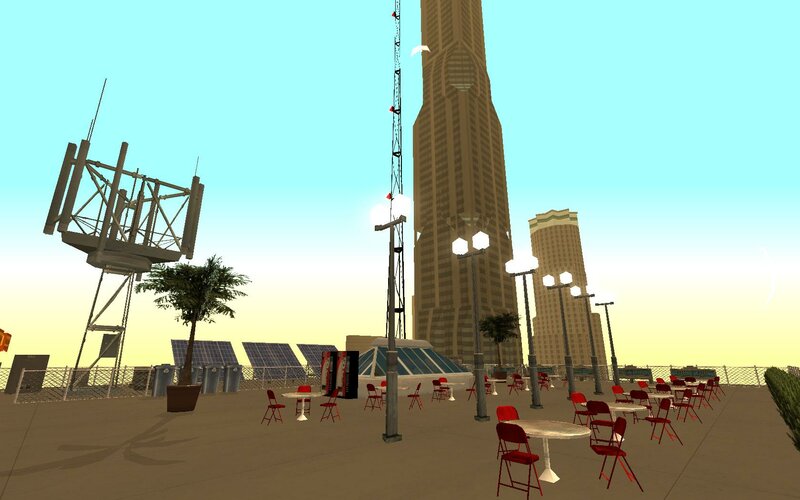
This mod will retexture your stolenbuild02 (Bank of America) in Downtown Los Santos into new HD texture like in the pictures.
This mod will retexture your stolenbuild02 (Bank of America) in Downtown Los Santos into new HD texture like in the pictures.
Komentarze
Liczba dodanych komentarzy: 9.


07/18/2026 00:37
Thank you very much!
I have a lot questions so I have sent you a private message.
Cytuj | Odpowiedz | (0)
Quote: Michelle_Works
@Abusefag
Go to the
IDE
file you want to modify
(in this case, the nighttime objects)
It's usually on a special line
tobj
4716, LTSLAsky2_LAn2, nightlights1_lan2, 600, 140, 20, 6
end
As you can see, this has 4 lines of numbers.
The first is the distance
[600,]
The second is a special flag.(transparece?) (It’s best not to touch or edit it.)
[ 140,]
The third is the time when the lights appear.
[20,]
[20 hrs in this case.]
The fourth is the time when the lights disappear.
[6]
[6 am]
So, keeping this in mind, you can do the following:
Change that 600 to 1500, which is the maximum rendering distance.
The final result would be:
4716, LTSLAsky2_LAn2, nightlights1_lan2, 1500, 140, 20, 6
(Experimental)
Now, if that distance isn’t enough for you, you can go to the
IPL
files and edit the following
4716, LTSLAsky2_LAn2, 256, 1544.570313, -1355.789063, 117.0703125, 0, 0, 0, 1, -1
The number after the name can be edited and changed to: 1024
and it would look like this:
4716, LTSLAsky2_LAn2, 1024, 1544.570313, -1355.789063, 117.0703125, 0, 0, 0, 1, -1
Thank you very much!
I have a lot questions so I have sent you a private message.
Cytuj | Odpowiedz | (0)


07/17/2026 17:03
@Abusefag
Go to the
IDE
file you want to modify
(in this case, the nighttime objects)
It's usually on a special line
tobj
4716, LTSLAsky2_LAn2, nightlights1_lan2, 600, 140, 20, 6
end
As you can see, this has 4 lines of numbers.
The first is the distance
[600,]
The second is a special flag.(transparece?) (It’s best not to touch or edit it.)
[ 140,]
The third is the time when the lights appear.
[20,]
[20 hrs in this case.]
The fourth is the time when the lights disappear.
[6]
[6 am]
So, keeping this in mind, you can do the following:
Change that 600 to 1500, which is the maximum rendering distance.
The final result would be:
4716, LTSLAsky2_LAn2, nightlights1_lan2, 1500, 140, 20, 6
(Experimental)
Now, if that distance isn’t enough for you, you can go to the
IPL
files and edit the following
4716, LTSLAsky2_LAn2, 256, 1544.570313, -1355.789063, 117.0703125, 0, 0, 0, 1, -1
The number after the name can be edited and changed to: 1024
and it would look like this:
4716, LTSLAsky2_LAn2, 1024, 1544.570313, -1355.789063, 117.0703125, 0, 0, 0, 1, -1

Cytuj | Odpowiedz | (0)
@Abusefag
Go to the
IDE
file you want to modify
(in this case, the nighttime objects)
It's usually on a special line
tobj
4716, LTSLAsky2_LAn2, nightlights1_lan2, 600, 140, 20, 6
end
As you can see, this has 4 lines of numbers.
The first is the distance
[600,]
The second is a special flag.(transparece?) (It’s best not to touch or edit it.)
[ 140,]
The third is the time when the lights appear.
[20,]
[20 hrs in this case.]
The fourth is the time when the lights disappear.
[6]
[6 am]
So, keeping this in mind, you can do the following:
Change that 600 to 1500, which is the maximum rendering distance.
The final result would be:
4716, LTSLAsky2_LAn2, nightlights1_lan2, 1500, 140, 20, 6
(Experimental)
Now, if that distance isn’t enough for you, you can go to the
IPL
files and edit the following
4716, LTSLAsky2_LAn2, 256, 1544.570313, -1355.789063, 117.0703125, 0, 0, 0, 1, -1
The number after the name can be edited and changed to: 1024
and it would look like this:
4716, LTSLAsky2_LAn2, 1024, 1544.570313, -1355.789063, 117.0703125, 0, 0, 0, 1, -1
Cytuj | Odpowiedz | (0)
07/15/2026 04:31
Thanks. I already was able to find both the txd and dff files of the "windows night" textures that belong to the building I want edit. But for some reason each time cj gets near to the building my san andreas crashes.
P.S:
Any idea what files I must to edit in order the nigth windows can be see it from several kilometers away? i just walk away 2 blocks and the night windows dissapear from my building. I guess I must increase the draw distance of said item but how? is there a LOD version for the night windows? This is my very first time editing a building for gta sa so im a super noob.
Cytuj | Odpowiedz | (0)
Quote: w3_Mods_Reborn
@Abusefag Sorry, bro, I still can't edit the "night textures" because the .TXD files are hard to find. I edited the textures using only Microsoft Paint, but why do the day and night textures match? That's because I copied the template from the original texture and then overlaid the old texture with the new one, and not a single pixel was allowed to be off. (The position of the new texture must match the position of the old texture on the template.)
Thanks. I already was able to find both the txd and dff files of the "windows night" textures that belong to the building I want edit. But for some reason each time cj gets near to the building my san andreas crashes.
P.S:
Any idea what files I must to edit in order the nigth windows can be see it from several kilometers away? i just walk away 2 blocks and the night windows dissapear from my building. I guess I must increase the draw distance of said item but how? is there a LOD version for the night windows? This is my very first time editing a building for gta sa so im a super noob.
Cytuj | Odpowiedz | (0)
07/15/2026 03:50
@Abusefag Sorry, bro, I still can't edit the "night textures" because the .TXD files are hard to find. I edited the textures using only Microsoft Paint, but why do the day and night textures match? That's because I copied the template from the original texture and then overlaid the old texture with the new one, and not a single pixel was allowed to be off. (The position of the new texture must match the position of the old texture on the template.)
Cytuj | Odpowiedz | (1)
@Abusefag Sorry, bro, I still can't edit the "night textures" because the .TXD files are hard to find. I edited the textures using only Microsoft Paint, but why do the day and night textures match? That's because I copied the template from the original texture and then overlaid the old texture with the new one, and not a single pixel was allowed to be off. (The position of the new texture must match the position of the old texture on the template.)
Cytuj | Odpowiedz | (1)

