Wyróżniony
San Andreas / Samochody / Nissan
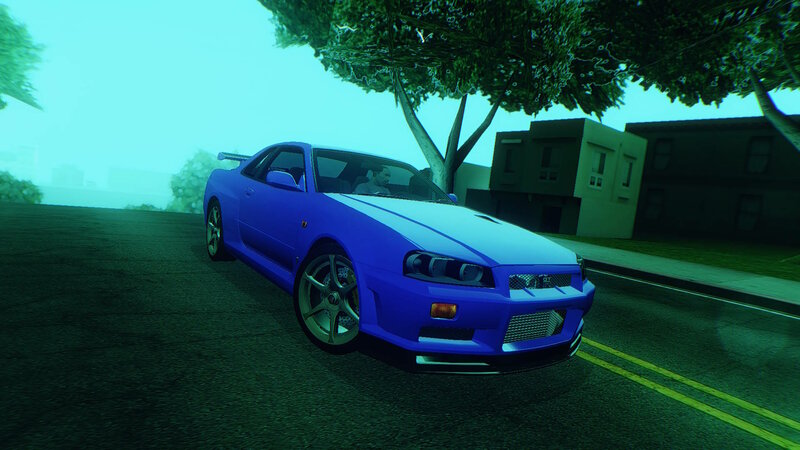
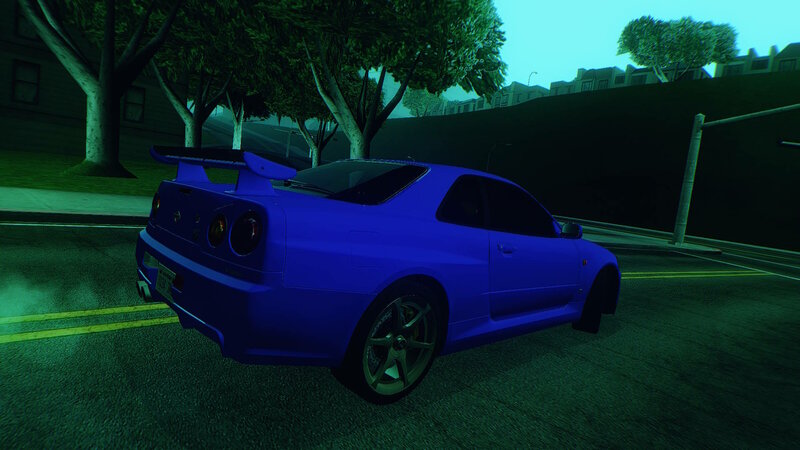
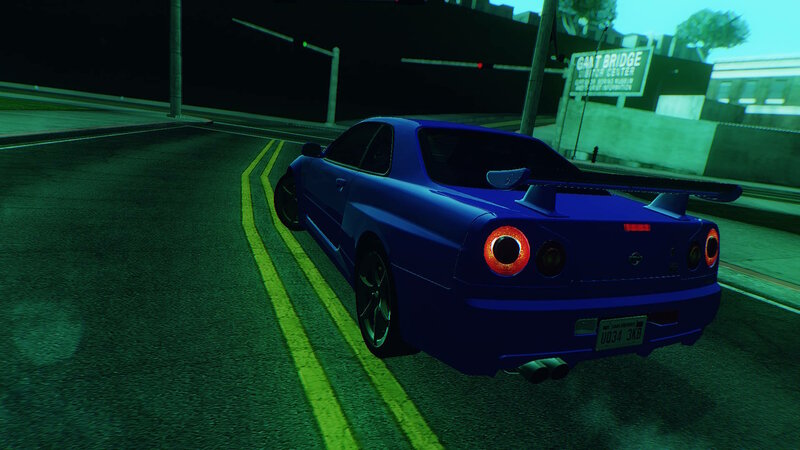
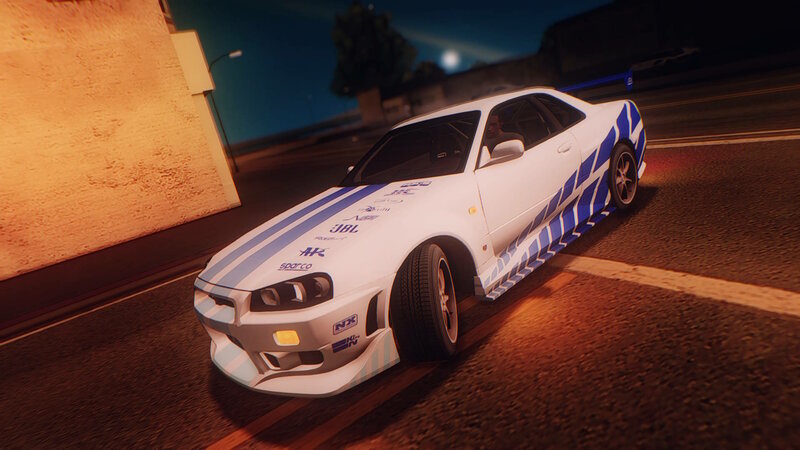
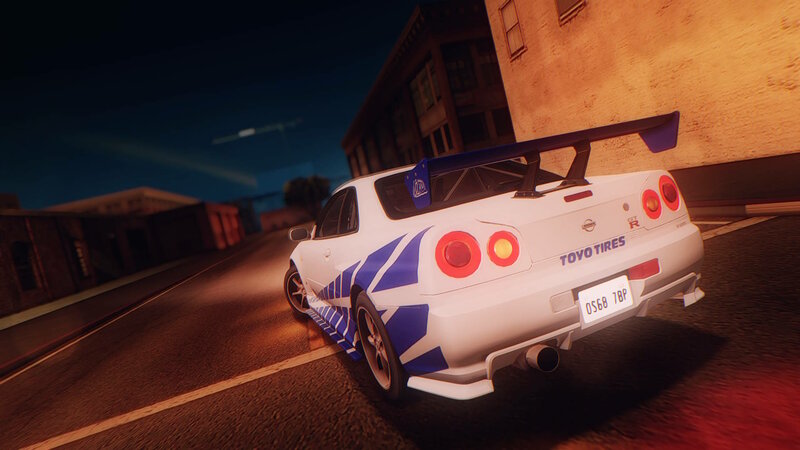
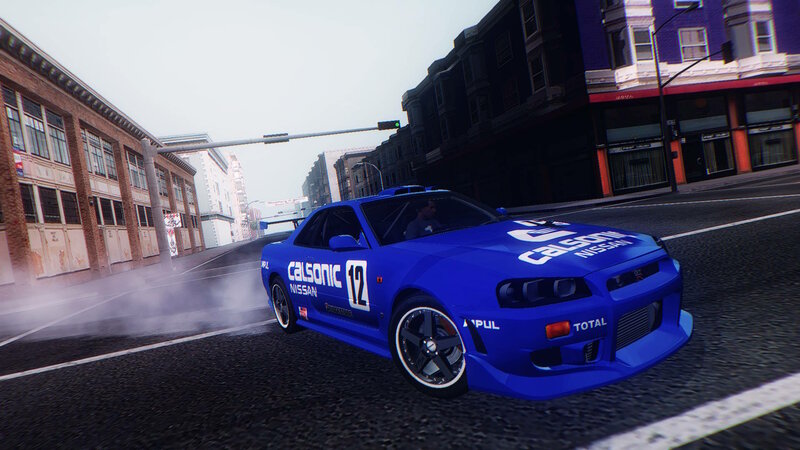
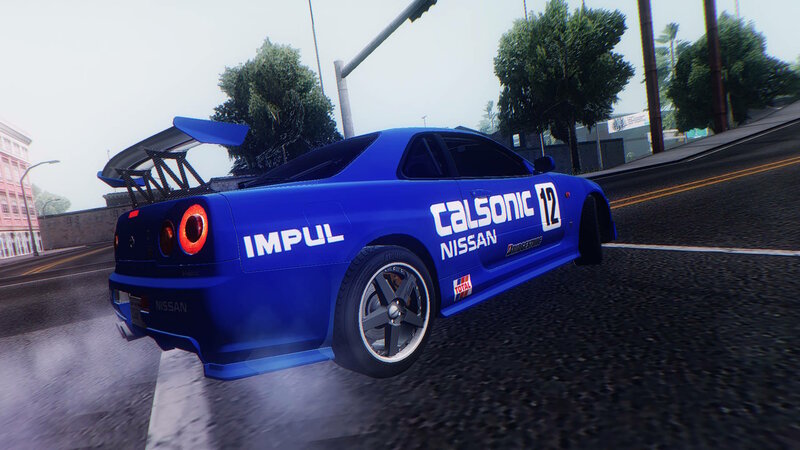
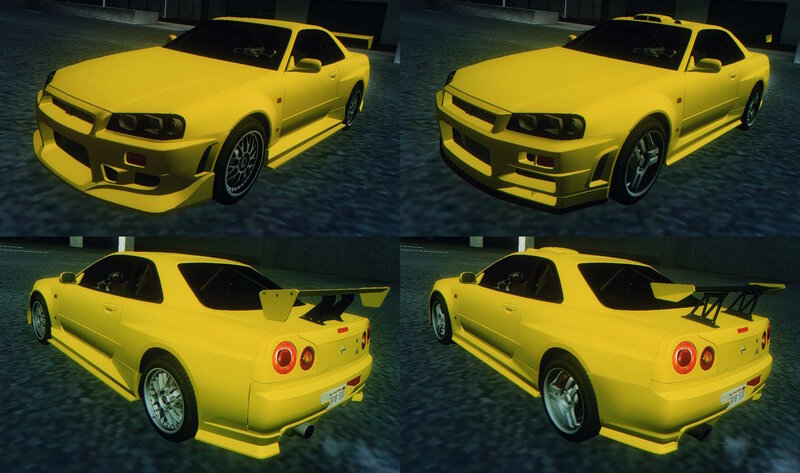
1999 Nissan Skyline GT-R (BNR34) v1.0.1
- YochiThMaster333 | dodane przez YochiThMaster333
- 09/09/2024
- 19774 Pobrania
Oceny:
Najpierw się zaloguj.
Ulubione:
Pobierz
6.58Mb
6.58Mb
Filmy
Nie dodano jeszcze filmów.Zaloguj się, żeby dodać film do tego moda.
Opis
UPDATE 20.09.2024: Fixed wheels and some part in engine
Original 3D model by: Ghost Games (Need for Speed Heat Studio)
Some parts by: Ghost Games/Criterion Games (Need for Speed Unbound), Juice Games (Juiced 2 HIN), Slightly Mad Studios (Shift 2: Unleashed)
Rims by: Slightly Mad Studios (World of Speed)
Conversion to SA by: YochiThMaster333
Replaces: ELEGY
Features:
- 2 tuning kits;
- 4 paintjobs;
- SA Plates and SA colors support;
- Adapted for ImVehFt (full lights support, brake calipers, dirt texture, custom colors);
- Adapted for Junior_Djjr's VehFuncs (stock spoiler, steering wheel, variable extras (different hood));
- Custom collision;
- Custom chassis_vlo.
Credits:
- GM25 - for ripping models from NFS Heat Studio and Unbound;
- Oleg M. - for making Zmodeler;
- DK22Pac - for making MagicTXD and ImVehFt;
- Junior_Djjr - for making VehFuncs
Original 3D model by: Ghost Games (Need for Speed Heat Studio)
Some parts by: Ghost Games/Criterion Games (Need for Speed Unbound), Juice Games (Juiced 2 HIN), Slightly Mad Studios (Shift 2: Unleashed)
Rims by: Slightly Mad Studios (World of Speed)
Conversion to SA by: YochiThMaster333
Replaces: ELEGY
Features:
- 2 tuning kits;
- 4 paintjobs;
- SA Plates and SA colors support;
- Adapted for ImVehFt (full lights support, brake calipers, dirt texture, custom colors);
- Adapted for Junior_Djjr's VehFuncs (stock spoiler, steering wheel, variable extras (different hood));
- Custom collision;
- Custom chassis_vlo.
Credits:
- GM25 - for ripping models from NFS Heat Studio and Unbound;
- Oleg M. - for making Zmodeler;
- DK22Pac - for making MagicTXD and ImVehFt;
- Junior_Djjr - for making VehFuncs
Komentarze
Liczba dodanych komentarzy: 17.


03/29/2025 14:39
@Rip_Van_Winkle this problem occurs only because you don't have VehFuncs installed. Have you read the Readme file and install every required mod listed under "Requirements"? This mod requires BOTH ImVehFt and VehFuncs, none of which are available for mobile users. And no, I will not do versions for people without these two mods (or even for mobile users since mobile port is terribly underdeveloped imho), since ImVehFt and VehFuncs are pretty much the modding essentials for San Andreas, and tbh, vanilla SA lights textures are not suitable for making car mods nowadays.
Cytuj | Odpowiedz | (0)
@Rip_Van_Winkle this problem occurs only because you don't have VehFuncs installed. Have you read the Readme file and install every required mod listed under "Requirements"? This mod requires BOTH ImVehFt and VehFuncs, none of which are available for mobile users. And no, I will not do versions for people without these two mods (or even for mobile users since mobile port is terribly underdeveloped imho), since ImVehFt and VehFuncs are pretty much the modding essentials for San Andreas, and tbh, vanilla SA lights textures are not suitable for making car mods nowadays.
Cytuj | Odpowiedz | (0)











09/10/2024 08:07
Cytuj | Odpowiedz | (1)
Dude, I tried everything but the indicator is not working.Quote: YochiThMaster333
@Turbo2020 you need the latest version of Improved Vehicles Features (or ImVehFt for short), plus you should know the keys of using them (by default it's Right Shift (disable), Z (left), X (both), and C (right)). And you gave 1/10 for this issue with the indicators that can be only, and only fixed by installing ImVehFt?
Cytuj | Odpowiedz | (1)

09/10/2024 02:50
@Turbo2020 you need the latest version of Improved Vehicles Features (or ImVehFt for short), plus you should know the keys of using them (by default it's Right Shift (disable), Z (left), X (both), and C (right)). And you gave 1/10 for this issue with the indicators that can be only, and only fixed by installing ImVehFt?
Cytuj | Odpowiedz | (1)
@Turbo2020 you need the latest version of Improved Vehicles Features (or ImVehFt for short), plus you should know the keys of using them (by default it's Right Shift (disable), Z (left), X (both), and C (right)). And you gave 1/10 for this issue with the indicators that can be only, and only fixed by installing ImVehFt?
Cytuj | Odpowiedz | (1)