San Andreas / Samochody / Autobusy
Cas Ligas Terengganu City Bus V1.1
- HarimauMalayaHM | dodane przez HarimauMalayaHM
- harimau-malaya.wikia.com/wi...
- 07/09/2016
- 4156 Pobrania
Oceny:
Najpierw się zaloguj.
Ulubione:
Pobierz
5.93Mb
Odsetek antywirusów, które wykryły zagrożenie: 0%
Zobacz raport skanowania antywirusowego
5.93Mb
Odsetek antywirusów, które wykryły zagrożenie: 0%
Zobacz raport skanowania antywirusowego
Filmy
Nie dodano jeszcze filmów.Zaloguj się, żeby dodać film do tego moda.
Opis
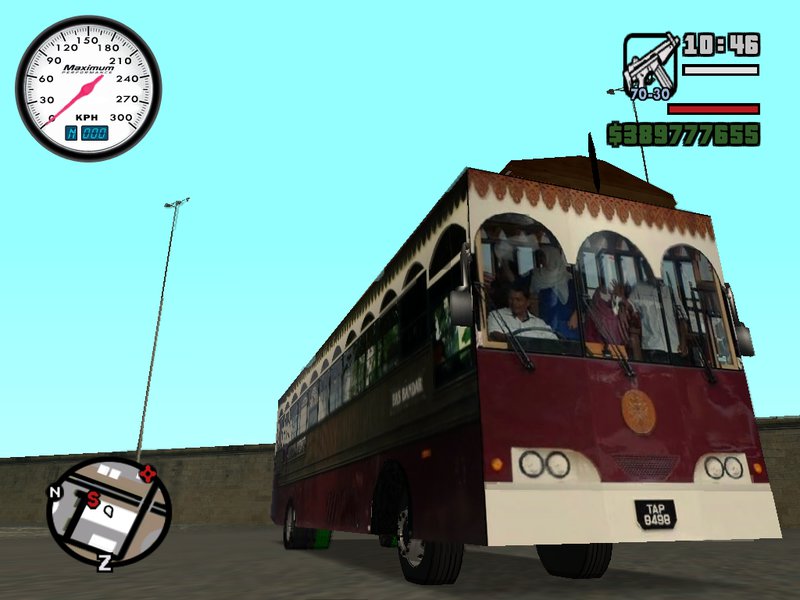
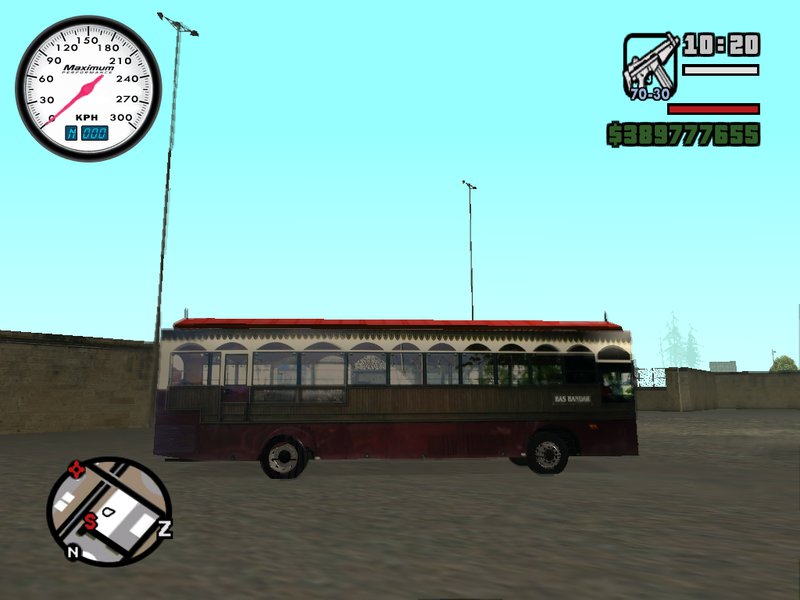
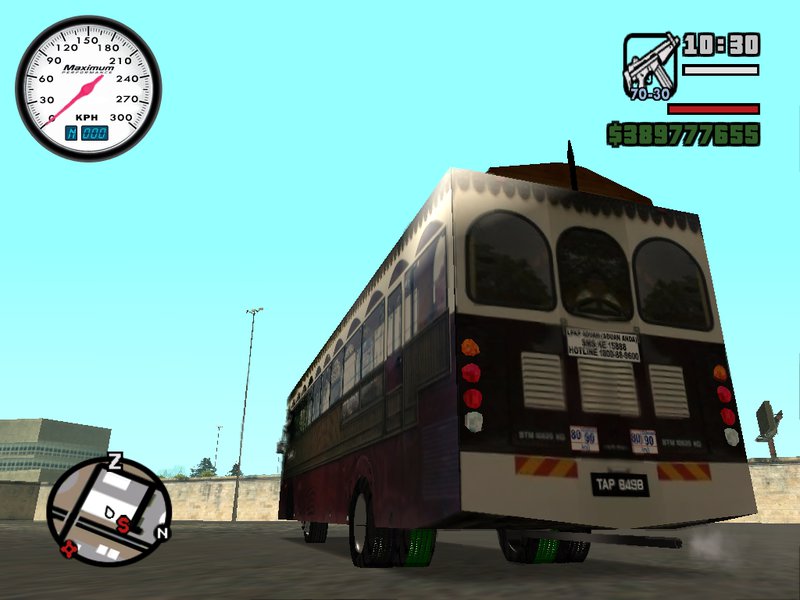
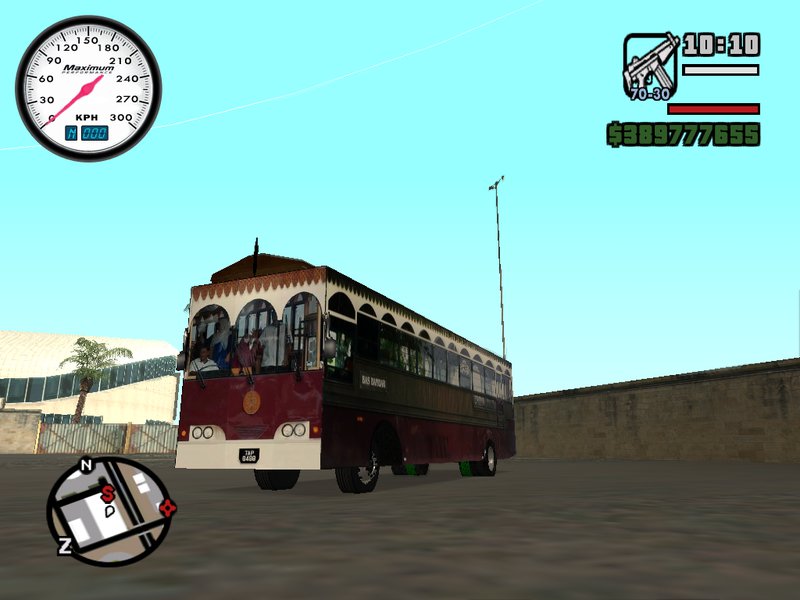
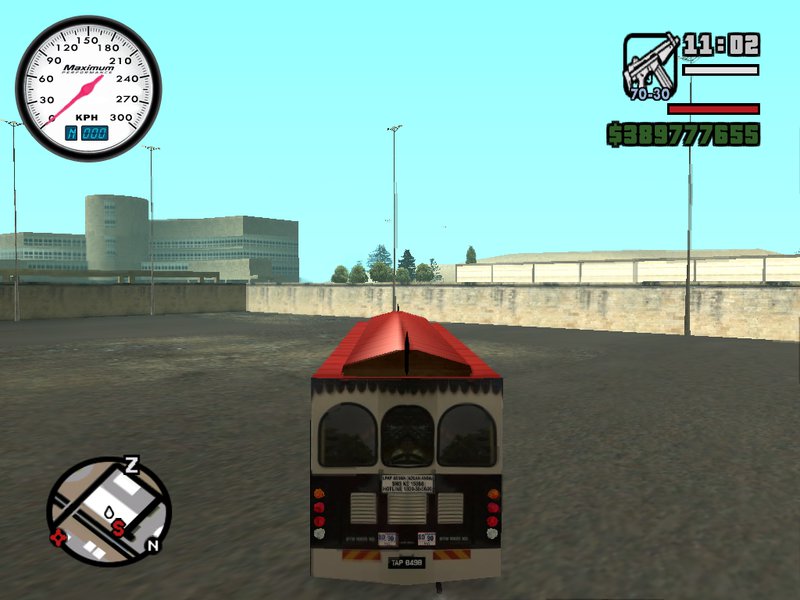
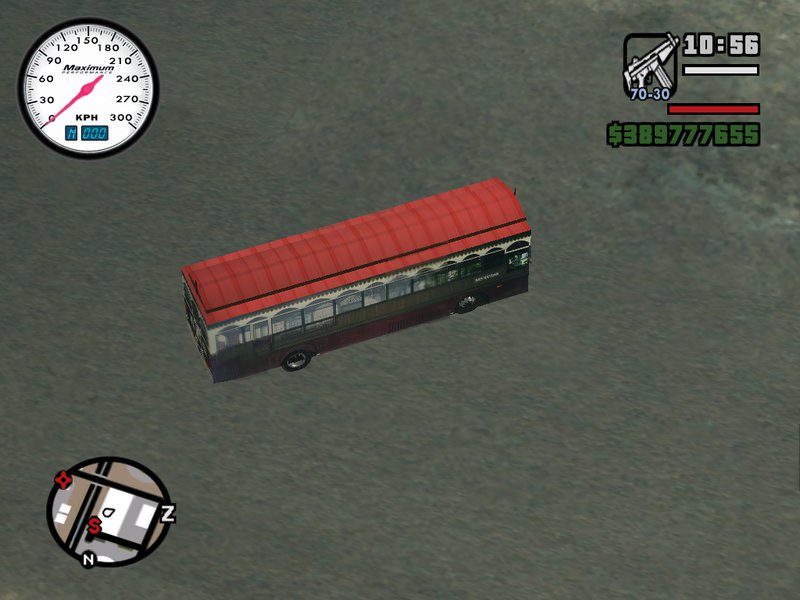
Cas Ligas Terengganu City Bus V1.1
Cas Ligas Sdn Bhd is a company that operates public bus transportation system in Terengganu by providing bus services as a mode of public transport.
UPDATE NOTES V1.1
1) DFF file - LOCKED (you need to buy it for unlock)
2) Side Mirror Texture - FIXED
UPDATE NOTES V1
1) Specular Highlight - ADDED
2) Bouncing - FIXED
3) Sink through the map - FIXED
4) Detached Door - FIXED
5) Real Life Plate No (TAP 8498) - INSTALLED
WARNING: Make sure you have the backup before installing any mod.
PLEASE NOTE: This is the inaugural bus mod that I create from scratch by using ZModeler2.
Credit also should be given to VindiCaToR (for sharing the tips)
*Replace Coach
Files: coach.dff & coach.txd
Skin based on real life:
http://sifukeropok.com/v1/wp-content/uploads/2015/10/12009774_1650985138447646_108725347532493867_n.jpg
Author: HarimauMalayaHM
Edit: HarimauMalayaHM
Model: HarimauMalayaHM
Texture's/Material's: HarimauMalayaHM
Template: HarimauMalayaHM
Skin: HarimauMalayaHM
Wheels: facu2009
Cas Ligas Sdn Bhd is a company that operates public bus transportation system in Terengganu by providing bus services as a mode of public transport.
UPDATE NOTES V1.1
1) DFF file - LOCKED (you need to buy it for unlock)
2) Side Mirror Texture - FIXED
UPDATE NOTES V1
1) Specular Highlight - ADDED
2) Bouncing - FIXED
3) Sink through the map - FIXED
4) Detached Door - FIXED
5) Real Life Plate No (TAP 8498) - INSTALLED
WARNING: Make sure you have the backup before installing any mod.
PLEASE NOTE: This is the inaugural bus mod that I create from scratch by using ZModeler2.
Credit also should be given to VindiCaToR (for sharing the tips)
*Replace Coach
Files: coach.dff & coach.txd
Skin based on real life:
http://sifukeropok.com/v1/wp-content/uploads/2015/10/12009774_1650985138447646_108725347532493867_n.jpg
Author: HarimauMalayaHM
Edit: HarimauMalayaHM
Model: HarimauMalayaHM
Texture's/Material's: HarimauMalayaHM
Template: HarimauMalayaHM
Skin: HarimauMalayaHM
Wheels: facu2009
Komentarze
Liczba dodanych komentarzy: 10.






07/21/2016 06:04
Attention,
I forgot to apply the specular highlight on 'side mirror'. You may manually fix it by open ZModeler2 first. Then import the scene (coach.dff). Next, open Material Editor. Click on Extension then tick the box Specular Highlight (ignore the warning that said the option is reducing the performance).
Select>[By Name]>Click both All buttons>Ok>Selected Mode
Then,
File>Export
type coach for file name
Save as type DFF
Make sure the GTA San Andreas.DFF Parameters is same as below,
[/] Save Thumbnail
[/] Respect node position
[/] Autodetect Lights
Preferable Texture: BMP
DFF Version: San Andreas
Finally, please change the image of side mirror in TXD Workshop with full black color.
*Make sure the image resolution is same.
by HarimauMalayaHM
Cytuj | Odpowiedz | (0)
Attention,
I forgot to apply the specular highlight on 'side mirror'. You may manually fix it by open ZModeler2 first. Then import the scene (coach.dff). Next, open Material Editor. Click on Extension then tick the box Specular Highlight (ignore the warning that said the option is reducing the performance).
Select>[By Name]>Click both All buttons>Ok>Selected Mode
Then,
File>Export
type coach for file name
Save as type DFF
Make sure the GTA San Andreas.DFF Parameters is same as below,
[/] Save Thumbnail
[/] Respect node position
[/] Autodetect Lights
Preferable Texture: BMP
DFF Version: San Andreas
Finally, please change the image of side mirror in TXD Workshop with full black color.
*Make sure the image resolution is same.
by HarimauMalayaHM
Cytuj | Odpowiedz | (0)