GTA V / Narzędzia / Inne
Nexus ModMaster v3.3.0 Fluent - Next-Gen Mod Installer for GTA V - VIỆT NAM
- SonixGTA Mods | dodane przez sonixgta
- facebook.com/share/14kC4eE7...
- 10/11/2026
- 75 Pobrania
Oceny:
Najpierw się zaloguj.
Ulubione:
62.37Mb
Odsetek antywirusów, które wykryły zagrożenie: 2.98507%
Zobacz raport skanowania antywirusowego
Filmy
Nie dodano jeszcze filmów.Zaloguj się, żeby dodać film do tego moda.
Opis
[ENGLISH]
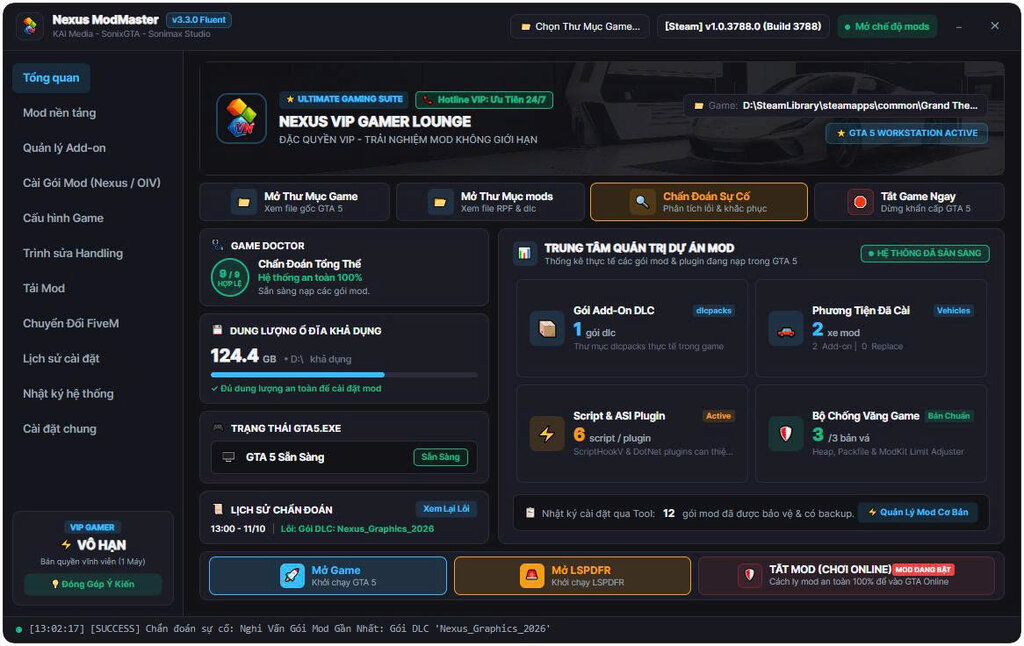
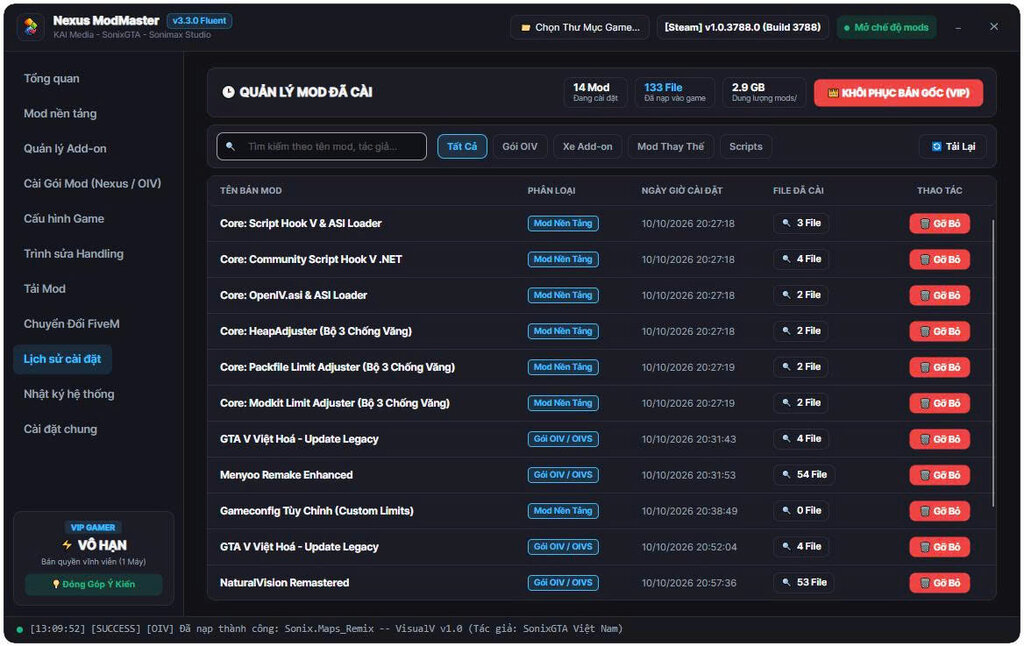
? OVERVIEWNexus ModMaster 2026 is the next-generation, high-performance Mod Manager and Package Installer built specifically for Grand Theft Auto V. Featuring a sleek Fluent UI built on modern .NET 8, it delivers a lightning-fast, crash-free, and safe modding experience for both beginners and hardcore modders.
Say goodbye to messy manual file replacements! Nexus ModMaster effortlessly handles standard .oiv packages, advanced .oivs (Super OIVs), and the all-new ultra-optimized .nexus packages with full support for both Legacy (Gen8) and Enhanced (Gen9) editions of GTA V.
? KEY HIGHLIGHTS & FEATURES- ? Comprehensive Package Support:
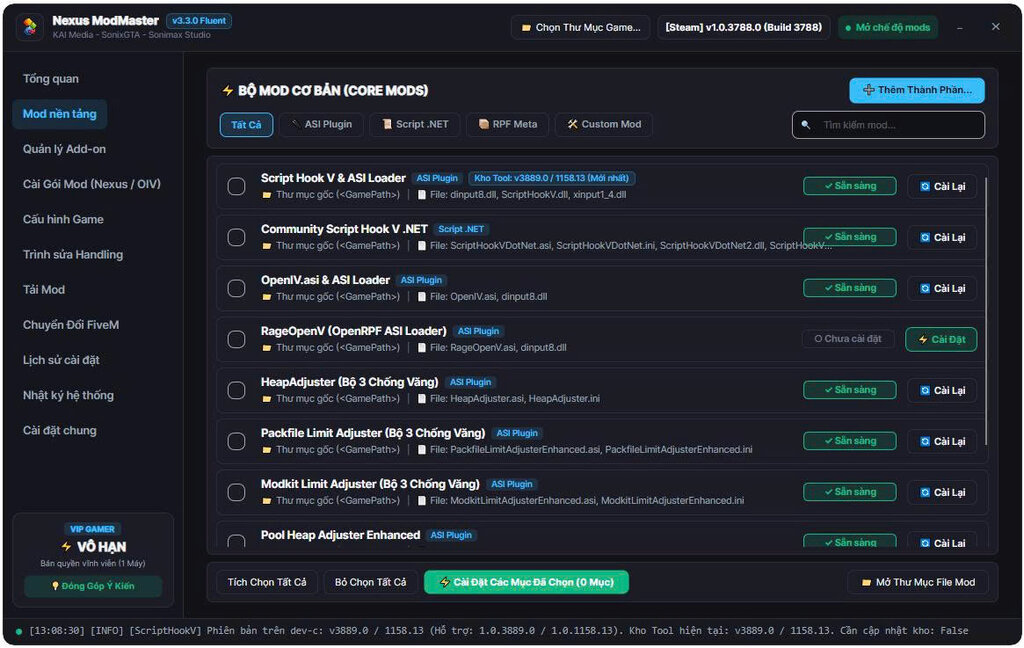
- Seamlessly installs OpenIV packages (.oiv), multi-option modules (.oivs), and exclusive .nexus packages.
- ?️ 100% Safe Modding (mods/ folder first):
- Automatically installs into the mods/ directory, keeping your original GTA V game files pristine and untouched.
- ⚡ Lightning Fast RPF Engine:
- High-speed archive streaming and XML modification engine. No crashes, no file corruptions, and no hanging progress bars.
- ? Full Dual-Version Support (Gen8 & Gen9):
- Smart detection for standard GTA5.exe (Legacy) and GTA5_Enhanced.exe (Enhanced Edition).
- ? Modern Fluent Design Interface:
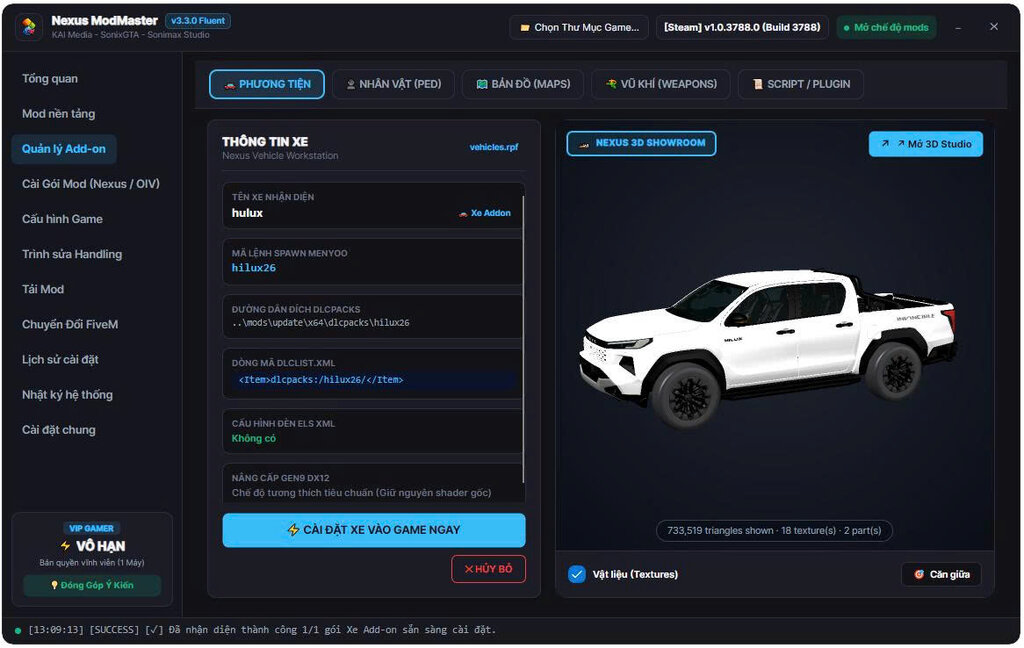
- Beautiful dark-themed aesthetic with package icon previews, real-time installation logs, and progress indicators.
- ? Smart Game Launcher & Detection:
- Auto-detects GTA V installation directory (Steam, Epic Games, Rockstar Games Launcher) with a 1-click launch feature.
- ? Built-in Auto Update & Clean Architecture:
- Enjoy instant, smooth updates with verified package integrity.
- Extract & Launch:
- Download the package, extract it to any convenient location (e.g., Program Files or portable folder), and run Nexus ModMaster.exe.
- Set Game Directory:
- Nexus ModMaster will automatically locate your GTA V folder. If not detected, simply click Browse and select your game directory.
- Install Your Favorite Mods:
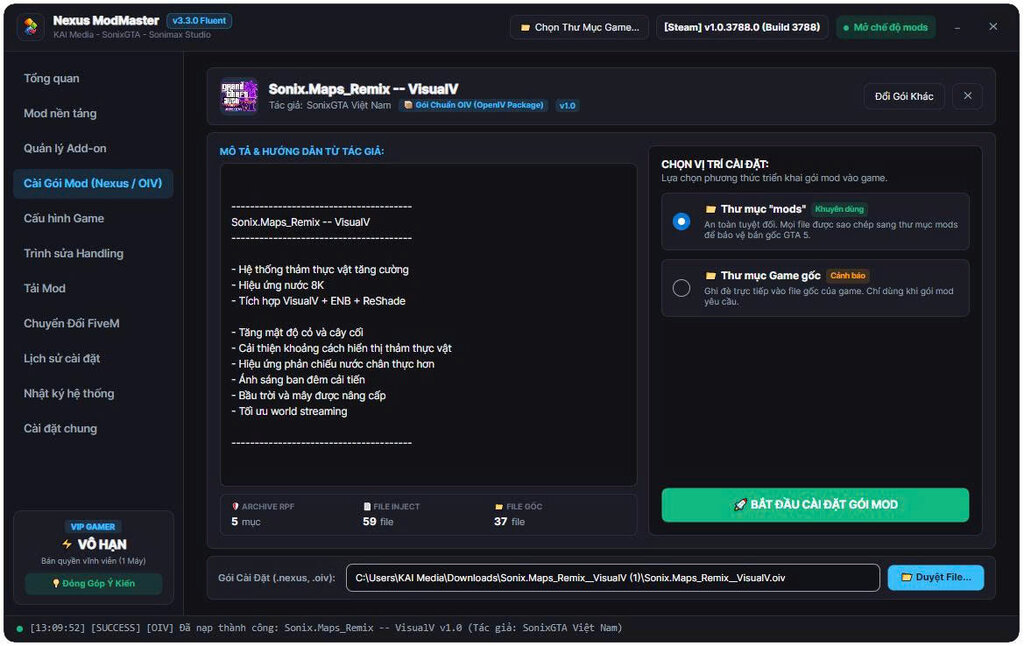
- Drag and drop any .oiv, .oivs, or .nexus file into the application window.
- Review the mod description, version, and author details.
- Click Install to "mods" folder and let the engine do the magic!
- Launch & Enjoy:
- Start GTA V directly from the built-in launcher and experience your mods!
- Developed & Maintained by:
- KAI MEDIA
- SONIXGTA
- SONIMAX STUDIO
- Official Publisher: SonixGTA Mods
- Official Community & Support Fanpage: https://www.facebook.com/share/14kC4eE72Ei/
[TIẾNG VIỆT]
? GIỚI THIỆU CHUNGNexus ModMaster 2026 là công cụ quản lý và cài đặt mod tự động thế hệ mới dành riêng cho Grand Theft Auto V. Được xây dựng trên nền tảng .NET 8 với phong cách thiết kế Fluent UI hiện đại, mượt mà và tối ưu hóa tối đa, Nexus ModMaster mang lại trải nghiệm cài đặt mod an toàn tuyệt đối, nhanh chóng và loại bỏ hoàn toàn nỗi lo hỏng file game gốc!
Không còn cảnh phải copy paste file thủ công phức tạp! Nexus ModMaster hỗ trợ trọn vẹn từ các gói cài đặt .oiv OpenIV truyền thống, gói đa mô-đun .oivs (Super OIV) cho đến định dạng độc quyền tối ưu siêu tốc .nexus, hỗ trợ hoàn hảo cho cả GTA V bản Legacy (Gen8) lẫn Enhanced (Gen9).
? TÍNH NĂNG NỔI BẬT- ? Hỗ trợ toàn diện các định dạng gói mod:
- Đọc và cài đặt mượt mà các gói .oiv, gói chọn tùy biến .oivs và định dạng chuẩn mới .nexus.
- ?️ Cài đặt an toàn 100% qua thư mục mods/:
- Tự động ưu tiên cài đặt vào thư mục mods/, bảo vệ tuyệt đối file gốc của game, dễ dàng quản lý và gỡ bỏ khi cần.
- ⚡ Bộ máy RPF Engine siêu tốc:
- Tối ưu hóa xử lý lưu trữ RPF và chèn chỉnh sửa XML cực nhanh, không đơ lag hay đứng hình thanh tiến trình.
- ? Tương thích cả GTA V Thường & Bản Enhanced:
- Tự động nhận diện phiên bản GTA5.exe (Legacy) hoặc GTA5_Enhanced.exe (Gen9) để áp dụng mod chuẩn xác.
- ? Giao diện Fluent Design trực quan:
- Theme tối thời thượng, hiển thị đầy đủ ảnh bìa/icon gói mod, nhật ký cài đặt chi tiết và hướng dẫn phím tắt trực quan.
- ? Tích hợp Launcher mở game thông minh:
- Tự động nhận diện thư mục game trên Steam, Epic Games, Rockstar Launcher và khởi động game chỉ với 1 cú click.
- ? Cơ chế cập nhật tự động mượt mà:
- Tự động kiểm tra và nâng cấp phiên bản mới nhất từ máy chủ phát hành.
- Khởi động:
- Tải về và giải nén (hoặc chạy bộ cài đặt), sau đó mở Nexus ModMaster.exe.
- Kiểm tra thư mục game:
- Tool sẽ tự động tìm thấy thư mục cài GTA V trên máy bạn. Nếu chưa thấy, hãy bấm chọn thư mục game thủ công.
- Cài đặt Mod:
- Kéo thả file .oiv, .oivs hoặc .nexus bất kỳ vào cửa sổ phần mềm.
- Đọc thông tin mod, tác giả và ghi chú cài đặt hiển thị trên màn hình.
- Chọn "Cài đặt vào thư mục mods" và nhấn Bắt đầu.
- Vào game:
- Nhấn nút Khởi động Game ngay trên ứng dụng và thưởng thức bản mod!
- Đơn vị phát triển & Xuất bản:
- KAI MEDIA
- SONIXGTA
- SONIMAX STUDIO
- Tác giả phát hành: SonixGTA Mods
- Kênh Fanpage hỗ trợ chính thức: https://www.facebook.com/share/14kC4eE72Ei/
Komentarze
Liczba dodanych komentarzy: 2.