GTA V / Samochody / Tekstury
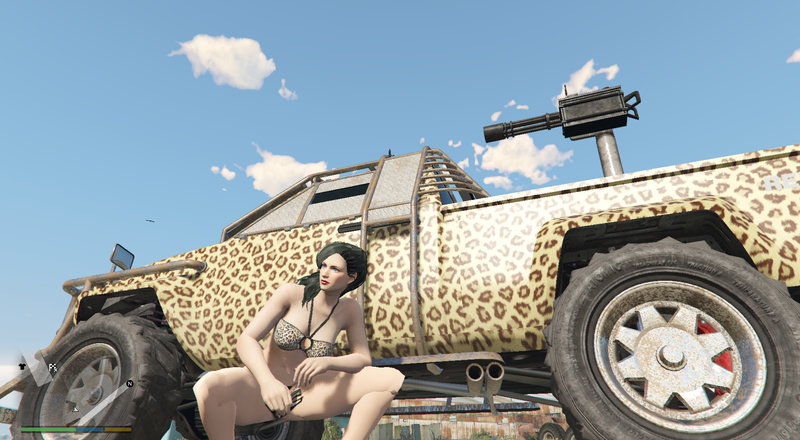
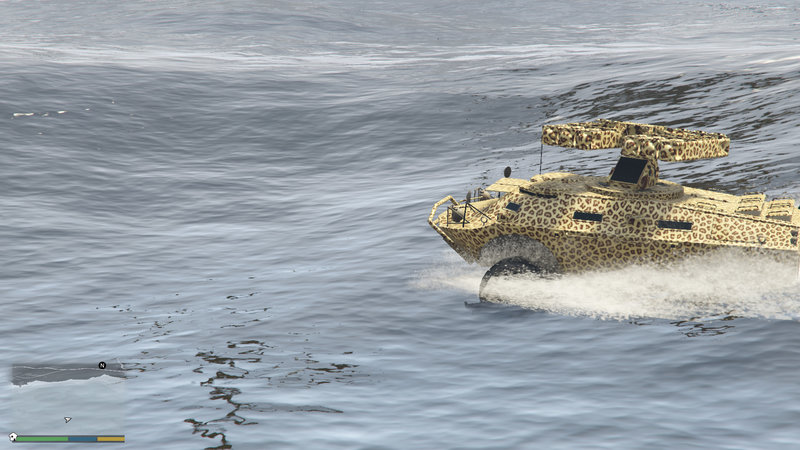
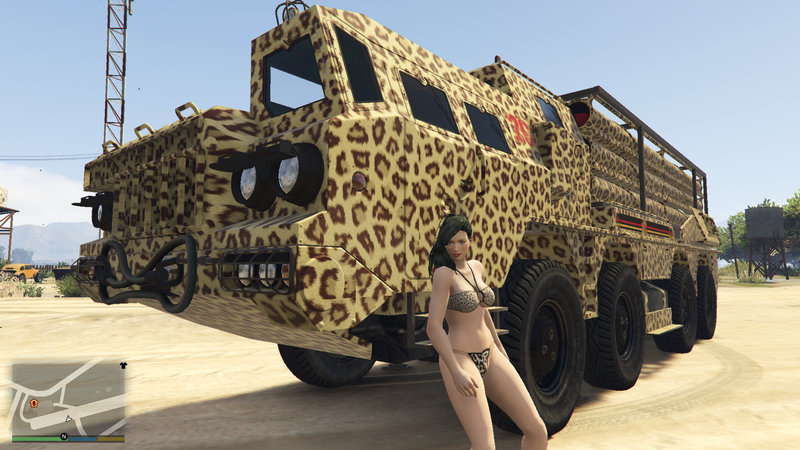
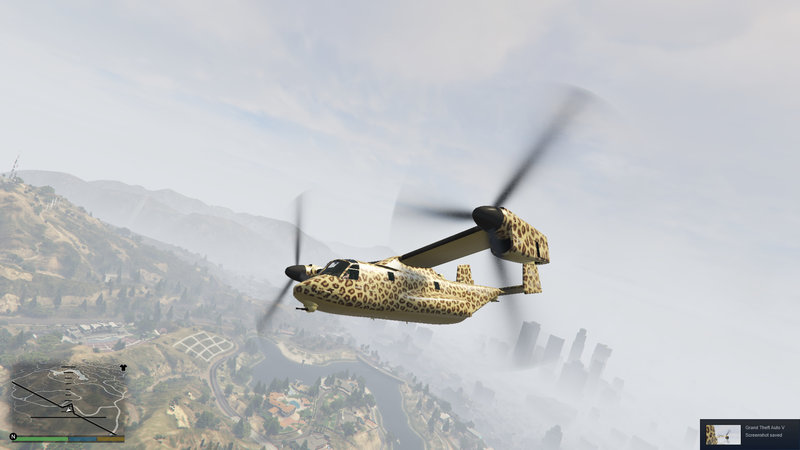
Leopard Print Camo Pack
- MrSupercar55 | dodane przez MrSupercar55
- 06/02/2019
- 2109 Pobrania
Oceny:
Najpierw się zaloguj.
Ulubione:
Pobierz
36.02Mb
Odsetek antywirusów, które wykryły zagrożenie: 0%
Zobacz raport skanowania antywirusowego
36.02Mb
Odsetek antywirusów, które wykryły zagrożenie: 0%
Zobacz raport skanowania antywirusowego

Filmy

Zaloguj się, żeby dodać film do tego moda.
Opis
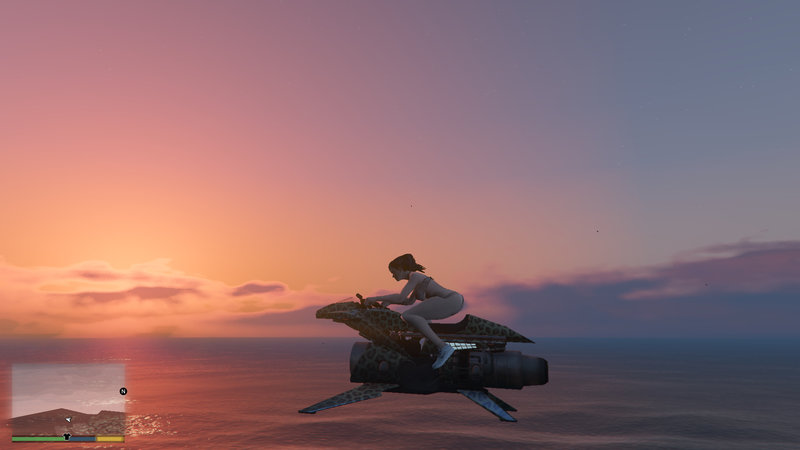
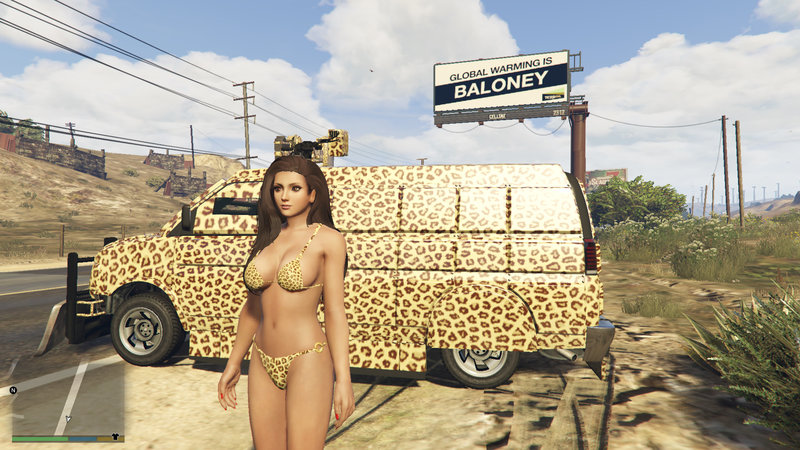
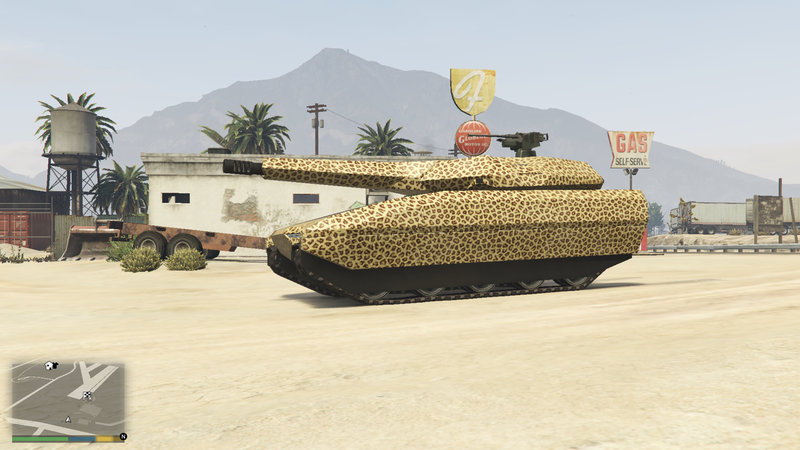
The kitty's colours appear on Gunrunning, Doomsday (Caracara included) and After Hours vehicles with camo.
Installation:
1: Extract the contents of the folders in the "Gunrunning Camo" folder to the .rpf achives in "C:\Program Files (x86)\Steam\steamapps\common\Grand Theft Auto V\update\x64\dlcpacks\mpgunrunning\dlc.rpf\x64\levels\mpgunrunning\vehiclemods" with the same names as the folders.
N.B. Use Edit Mode in OpenIV. Ardent livery goes in "C:\Program Files (x86)\Steam\steamapps\common\Grand Theft Auto V\update\x64\dlcpacks\patchday19ng\dlc.rpf\x64\levels\patchday19ng\vehiclemods\ardent_mods.rpf\"
2. Extract the "vehmod_camo9.yft" file from the "After Hours Camo" folder and add it to "C:\Program Files (x86)\Steam\steamapps\common\Grand Theft Auto V\update\x64\dlcpacks\patchday19ng\dlc.rpf\x64\levels\patchday19ng\vehiclemods\vehcamo_mods.rpf\"
3. Extract the "vehmod_camo9.yft" file from the "Doomsday Camo" folder and add it to to "C:\Program Files (x86)\Steam\steamapps\common\Grand Theft Auto V\update\x64\dlcpacks\mpchristmas2017\dlc.rpf\x64\levels\mpchristmas2017\vehiclemods\vehcamo_mods.rpf\"
Installation:
1: Extract the contents of the folders in the "Gunrunning Camo" folder to the .rpf achives in "C:\Program Files (x86)\Steam\steamapps\common\Grand Theft Auto V\update\x64\dlcpacks\mpgunrunning\dlc.rpf\x64\levels\mpgunrunning\vehiclemods" with the same names as the folders.
N.B. Use Edit Mode in OpenIV. Ardent livery goes in "C:\Program Files (x86)\Steam\steamapps\common\Grand Theft Auto V\update\x64\dlcpacks\patchday19ng\dlc.rpf\x64\levels\patchday19ng\vehiclemods\ardent_mods.rpf\"
2. Extract the "vehmod_camo9.yft" file from the "After Hours Camo" folder and add it to "C:\Program Files (x86)\Steam\steamapps\common\Grand Theft Auto V\update\x64\dlcpacks\patchday19ng\dlc.rpf\x64\levels\patchday19ng\vehiclemods\vehcamo_mods.rpf\"
3. Extract the "vehmod_camo9.yft" file from the "Doomsday Camo" folder and add it to to "C:\Program Files (x86)\Steam\steamapps\common\Grand Theft Auto V\update\x64\dlcpacks\mpchristmas2017\dlc.rpf\x64\levels\mpchristmas2017\vehiclemods\vehcamo_mods.rpf\"
Komentarze
Liczba dodanych komentarzy: 1.


 nice
nice