GTA V / Samochody / Autobusy
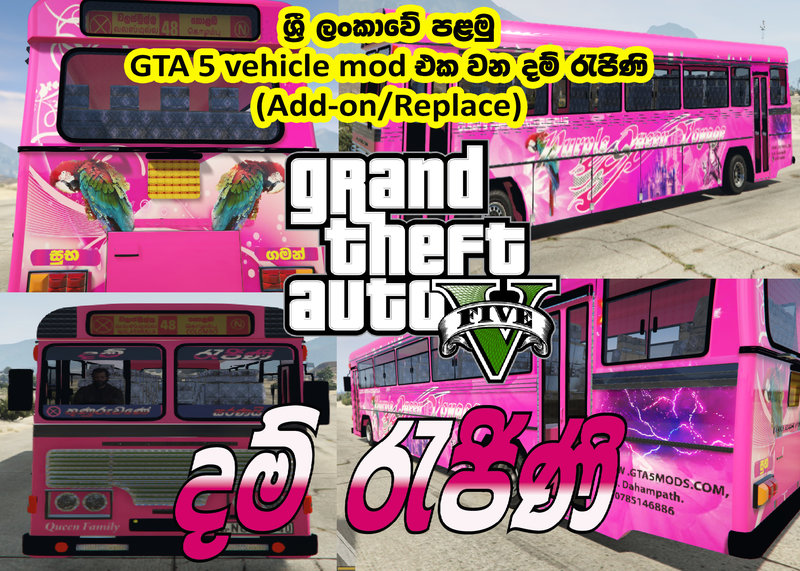
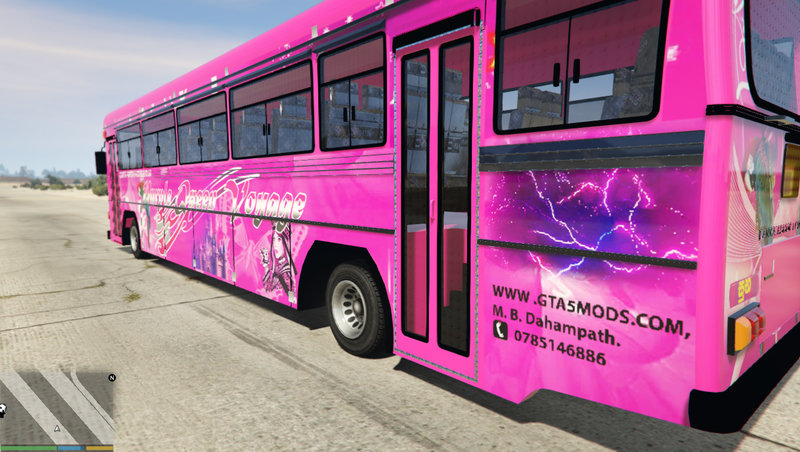
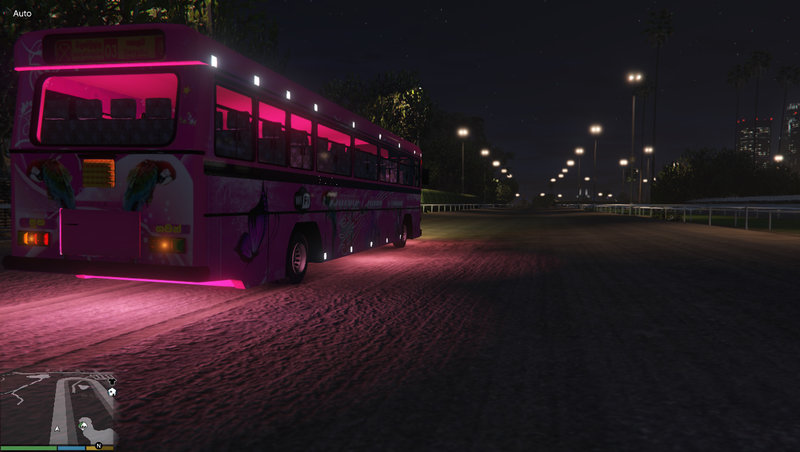
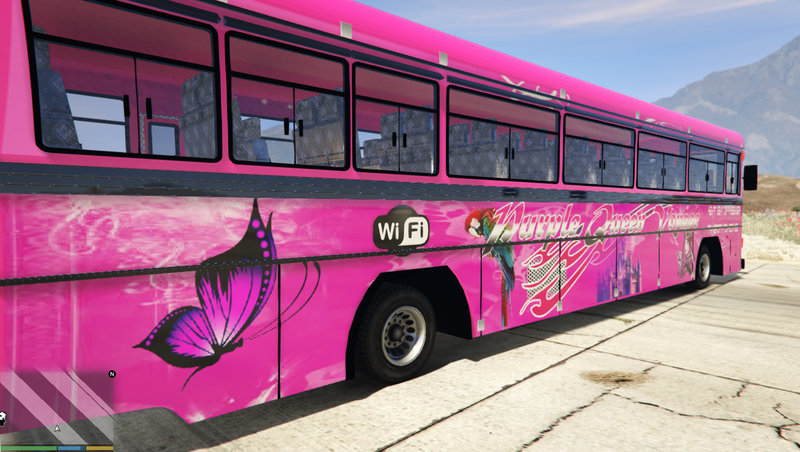
Dam Rajini (Add-on/Replace) With Horn And Lights - දම් රැජිනි
- Mahesh Dahampath | dodane przez Mahesh Dahampath
- 07/01/2018
- 5000 Pobrania
Oceny:
Najpierw się zaloguj.
Ulubione:
Pobierz
12.49Mb
Odsetek antywirusów, które wykryły zagrożenie: 0%
Zobacz raport skanowania antywirusowego
12.49Mb
Odsetek antywirusów, które wykryły zagrożenie: 0%
Zobacz raport skanowania antywirusowego
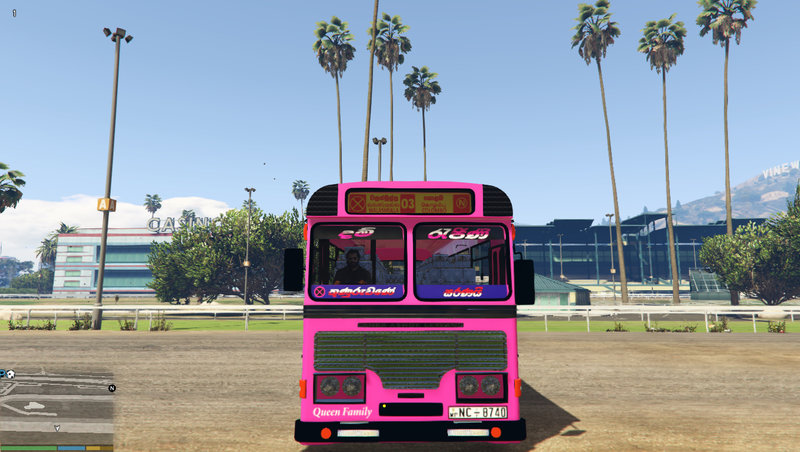
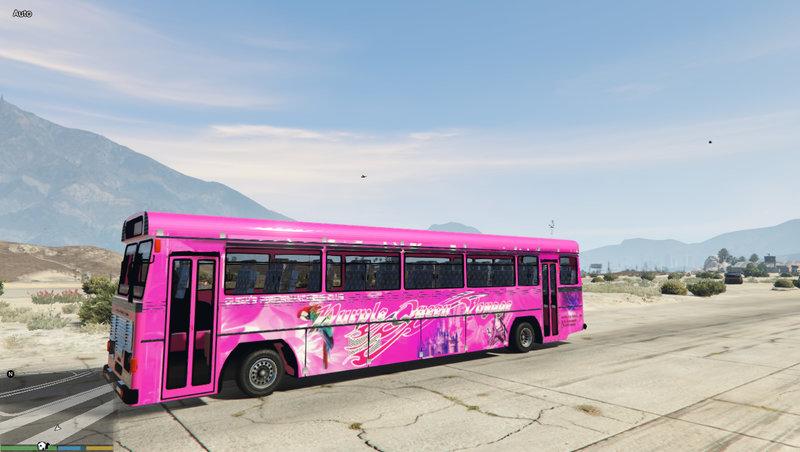
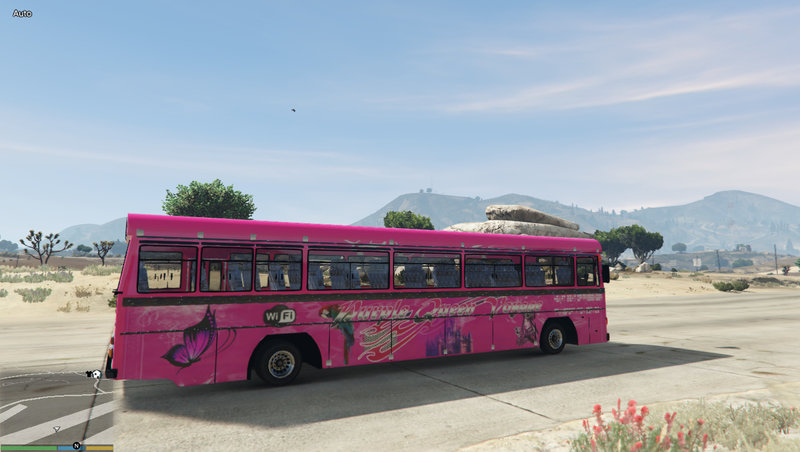
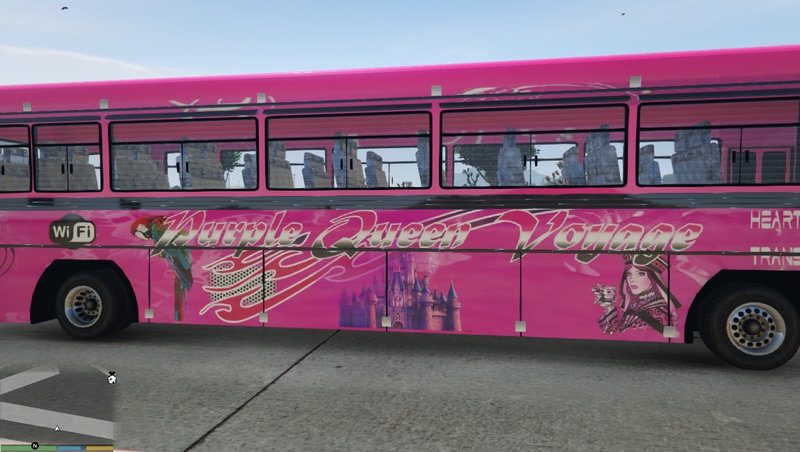
Filmy
Nie dodano jeszcze filmów.Zaloguj się, żeby dodać film do tego moda.
Opis
ඉන්ස්ටෝල් කරන ආකාරය සිංහලෙන් ෆයිල් එක තුල ඇති PDF එකකින්.......
Requirements
1. Scripthookv - https://www.gta5-mods.com/tools/script-hook-v
2. OpenIV - http://openiv.com
3. Simple trainer - https://www.gta5-mods.com/scripts/simple-trainer-for-gtav
Installation
If you are wishing to add “damrajini” horn also, please follow this steps
1. Install “ScripthookV”, “Simple trainer” & “OpenIV”.
2. Extract “DHAM RAJINI” rar/zip file.
3. Install all “ASI Managers” and that will make a “mods” folder in your “GTA
5” folder. If you already have a “mods” folder skip this step.
4. Minimize “OpenIV” and go to “GTA 5” folder via “My computer/This PC”.
Copy “update” folder to mods folder.
5. Go to “OpenIV” and Enable “edit mode”.
6. In “OpenIV”, Go to,
“mods\update\update.rpf\common\data”. Extract “dlclidt.xml” and open it
via “notepad”. Insert this code to bottom.
dlcpacks:\damrajini\
7. Drag and drop it back to OpenIV.
8. In “OpenIV”, Go to,
“mods\update\update.rpf\common\data”. Extract
“extratitleupdatedata.meta” and open it via “notepad”. Insert this code to
bottom.
dlc_damrajini:/
update:/dlc_patch/damrajini/
Drag and drop it back to OpenIV
9. Run “GTA 5”.
10. Export vehicle.oac in x64>>audio>>sfx to openFormats and then minimize the OpenIV.
11. Copy and paste “0x1AE3EF45” file in Mod files>>horn foalder of “DAMRAJINI”. Give replace/overwrite. Then go to OpenIV and right click in in x64>>audio>>sfx to openFormats. Right lick anywhere and click import “openFormats”. Select extrscted “oac” file and clicl ok.
12. Get “DAMRAJINI” from “simple trainer”. Then go to “vehicle options”>>vehicle mod menu>>horn” and select “9-sadtombone”.
Installation video - https://www.youtube.com/watch?v=E_4_vB1KT64
****************************************************************
If you are wishing to install this mod as a “replace”, copy “x64e” to “mods” folder, drag and drop all files in extracted “Mod files>>REPLACE” to “mods\Grand Theft Auto V\x64e.rpf\levels\gta5\vehicles.rpf\”.
WARNING – Horn is not working with replace method.
**********************************************************************
Terms & conditions
Do not edit/mod/post anywhere this mod without my permission.
Credits
“Alexander Blade” for “ScripthookV”
“OpenIV” team for “OpenIV”
“Sjaak327” for “Simple trainer”
Thank You for downloading this mod
Don’t forgot to like, comment, 5-star vote & share.
Created By – MAHESH BANDARA DAHAMPATH
Requirements
1. Scripthookv - https://www.gta5-mods.com/tools/script-hook-v
2. OpenIV - http://openiv.com
3. Simple trainer - https://www.gta5-mods.com/scripts/simple-trainer-for-gtav
Installation
If you are wishing to add “damrajini” horn also, please follow this steps
1. Install “ScripthookV”, “Simple trainer” & “OpenIV”.
2. Extract “DHAM RAJINI” rar/zip file.
3. Install all “ASI Managers” and that will make a “mods” folder in your “GTA
5” folder. If you already have a “mods” folder skip this step.
4. Minimize “OpenIV” and go to “GTA 5” folder via “My computer/This PC”.
Copy “update” folder to mods folder.
5. Go to “OpenIV” and Enable “edit mode”.
6. In “OpenIV”, Go to,
“mods\update\update.rpf\common\data”. Extract “dlclidt.xml” and open it
via “notepad”. Insert this code to bottom.
dlcpacks:\damrajini\
7. Drag and drop it back to OpenIV.
8. In “OpenIV”, Go to,
“mods\update\update.rpf\common\data”. Extract
“extratitleupdatedata.meta” and open it via “notepad”. Insert this code to
bottom.
dlc_damrajini:/
update:/dlc_patch/damrajini/
Drag and drop it back to OpenIV
9. Run “GTA 5”.
10. Export vehicle.oac in x64>>audio>>sfx to openFormats and then minimize the OpenIV.
11. Copy and paste “0x1AE3EF45” file in Mod files>>horn foalder of “DAMRAJINI”. Give replace/overwrite. Then go to OpenIV and right click in in x64>>audio>>sfx to openFormats. Right lick anywhere and click import “openFormats”. Select extrscted “oac” file and clicl ok.
12. Get “DAMRAJINI” from “simple trainer”. Then go to “vehicle options”>>vehicle mod menu>>horn” and select “9-sadtombone”.
Installation video - https://www.youtube.com/watch?v=E_4_vB1KT64
****************************************************************
If you are wishing to install this mod as a “replace”, copy “x64e” to “mods” folder, drag and drop all files in extracted “Mod files>>REPLACE” to “mods\Grand Theft Auto V\x64e.rpf\levels\gta5\vehicles.rpf\”.
WARNING – Horn is not working with replace method.
**********************************************************************
Terms & conditions
Do not edit/mod/post anywhere this mod without my permission.
Credits
“Alexander Blade” for “ScripthookV”
“OpenIV” team for “OpenIV”
“Sjaak327” for “Simple trainer”
Thank You for downloading this mod
Don’t forgot to like, comment, 5-star vote & share.
Created By – MAHESH BANDARA DAHAMPATH
Komentarze
Liczba dodanych komentarzy: 1.