GTA IV / Mody / Mody
HD Original Vice City License Plates for Next-Gen Edition
- Mr.Lorenzo | dodane przez Mr.Lorenzo
- 02/10/2025
- 2103 Pobrania
Oceny:
Najpierw się zaloguj.
Ulubione:
Pobierz
11.31Mb
Odsetek antywirusów, które wykryły zagrożenie: 0%
Zobacz raport skanowania antywirusowego
11.31Mb
Odsetek antywirusów, które wykryły zagrożenie: 0%
Zobacz raport skanowania antywirusowego
Filmy
Nie dodano jeszcze filmów.Zaloguj się, żeby dodać film do tego moda.
Opis
Hello, gamers!
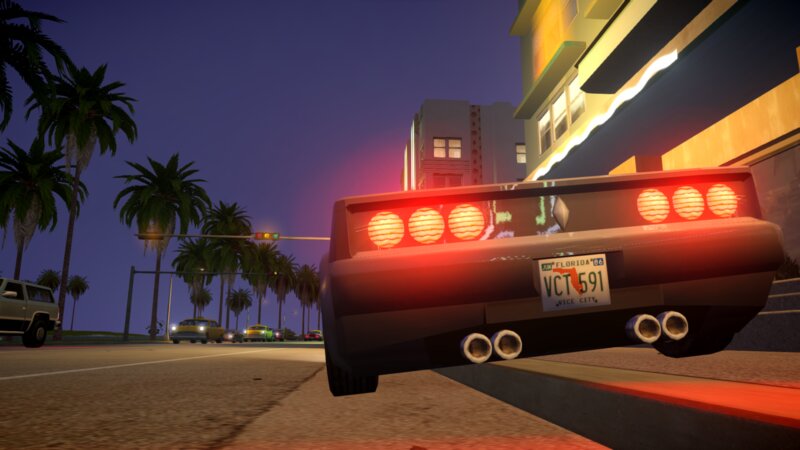
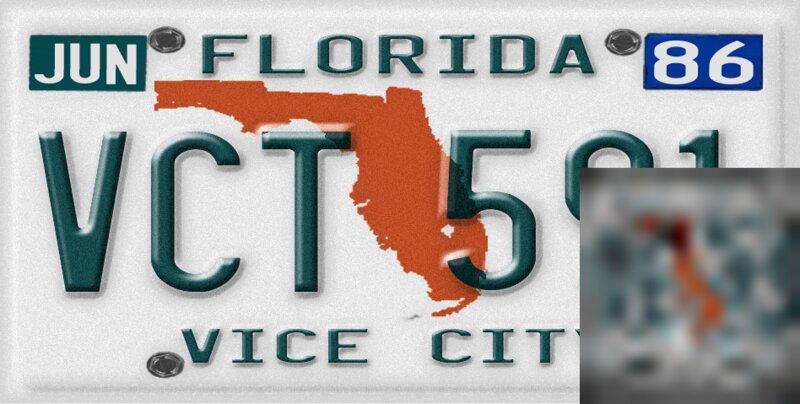
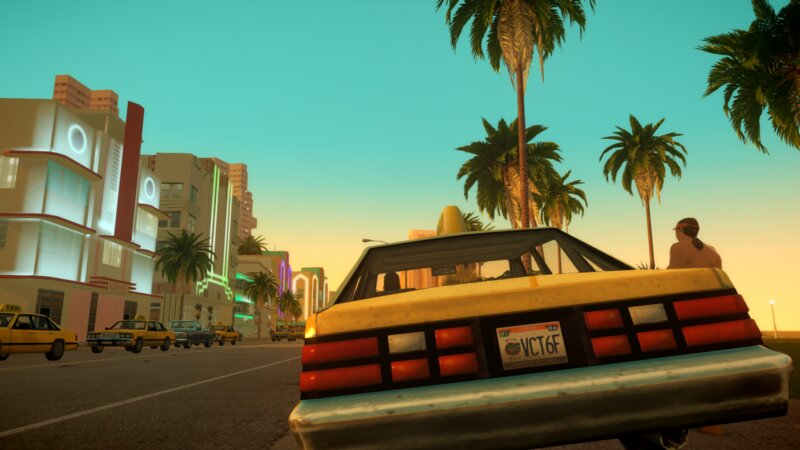
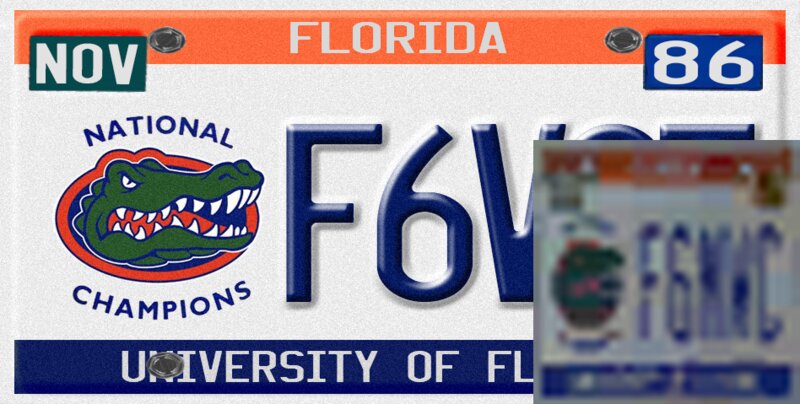
Here I am sharing my attempt to recreate the GTA Vice City license plate for the Vice City Next-Gen Edition. I tried to make it look as close as possible to the original. I'm not a pro in Photoshop, so if you can improve it, I’ve also included my Photoshop files.
The issue with the Next-Gen Edition is that some plates look good, while others appear squished or stretched.
INSTALLATION:
Method 1 (Full Replacement):
Open OpenIV.
Navigate to: pc/models/cdimages/vehicles.img.
Replace vehshare.wtd with the provided file.
---------------------------------------------------------
Method 2 (Manual Replacement):
Open OpenIV.
Navigate to: pc/models/cdimages/vehicles.img.
Open vehshare.wtd.
Replace T_Plateback_04_BC with the one included in the provided .rar or .zip file.
---------------------------------------------------------
For Other Cars (If You Want to Use a Different License Plate):
Open OpenIV.
Navigate to: pc/models/cdimages/vehicles.img.
Open the vehicles.wtd file.
Import the .png license plate file.
Rename it to T_Plateback_04_BC.
Here I am sharing my attempt to recreate the GTA Vice City license plate for the Vice City Next-Gen Edition. I tried to make it look as close as possible to the original. I'm not a pro in Photoshop, so if you can improve it, I’ve also included my Photoshop files.
The issue with the Next-Gen Edition is that some plates look good, while others appear squished or stretched.
INSTALLATION:
Method 1 (Full Replacement):
Open OpenIV.
Navigate to: pc/models/cdimages/vehicles.img.
Replace vehshare.wtd with the provided file.
---------------------------------------------------------
Method 2 (Manual Replacement):
Open OpenIV.
Navigate to: pc/models/cdimages/vehicles.img.
Open vehshare.wtd.
Replace T_Plateback_04_BC with the one included in the provided .rar or .zip file.
---------------------------------------------------------
For Other Cars (If You Want to Use a Different License Plate):
Open OpenIV.
Navigate to: pc/models/cdimages/vehicles.img.
Open the vehicles.wtd file.
Import the .png license plate file.
Rename it to T_Plateback_04_BC.
Komentarze
Liczba dodanych komentarzy: 2.



02/13/2025 03:35
Doesn't work. First it didn't do anything at all when replacing T_Plateback_04_BC with T_Plateback_04_BC New Texture.png then when i replaced the entire vehshare.wtd it gave me the liberty city license plate. I do also have installed SUNBURY VC FOUNDATION COLLECTION 1.5 FOR VICE CITY NEXTGEN.
Any suggestions or fixes?
Cytuj | Odpowiedz | (1)
Doesn't work. First it didn't do anything at all when replacing T_Plateback_04_BC with T_Plateback_04_BC New Texture.png then when i replaced the entire vehshare.wtd it gave me the liberty city license plate. I do also have installed SUNBURY VC FOUNDATION COLLECTION 1.5 FOR VICE CITY NEXTGEN.
Any suggestions or fixes?
Cytuj | Odpowiedz | (1)