GTA IV / Mody / Mody
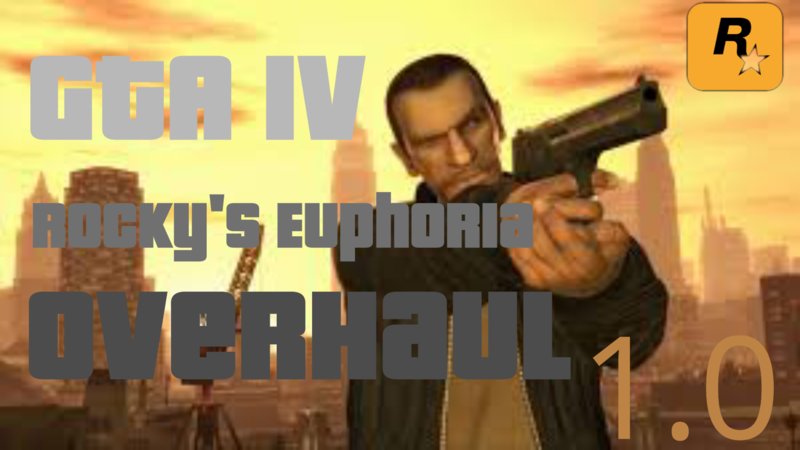
Rocky's Euphoria Overhaul IV
- Rockygaming241 | dodane przez Rockygaming241
- 08/11/2021
- 16687 Pobrania
Oceny:
Najpierw się zaloguj.
Ulubione:
Pobierz
11.84Kb
11.84Kb
Filmy
Nie dodano jeszcze filmów.Zaloguj się, żeby dodać film do tego moda.
Opis
Improved balancing and limping.
Expect updates soon and please leave feedback
Mirrors:
https://www.nexusmods.com/gta4/mods/125
(NOTE: THE NEW VERSION IS NOT IN THE NEXUSMODS MIRROR.)
-
4/11/2022 - This mod has been made compatible and much better with the Weapon Realism modification.
Changelogs:
Updated Sniper Rifle limping and balancing, made them a bit more stiff, reduce steps.
Disabled Shockspin completely in all values.
Improved limping and balancing for the weak pedestrians, normal pedestrians and for all weapons, it took me quite alot of time.
Niko Bellic's values, rolling out of the car, fire and falling physics remain untouched. This was a very large change, the old version is also in the Rocky's Overhaul zip/7zip/compressed file.
-
GTAinside changes: Updated name to "Rocky's Euphoria Overhaul IV" from "Rocky's Euphoria Overhaul 1.1".
-
4/13/2022 - Made standing shots more cinematic and improved balancing a bit more, This was a very minor change but my most favorite change so far.
Changelogs:
Changed Max Steps to 2.
-
4/15/2022 - This might just be the final version of the mod since it's complete and has no bugs.
Changelogs:
Fixed the issue where when a ped is shot with a sniper would cut off after a bit of ragdoll and change it's ragdoll physics position.
Expect updates soon and please leave feedback
Mirrors:
https://www.nexusmods.com/gta4/mods/125
(NOTE: THE NEW VERSION IS NOT IN THE NEXUSMODS MIRROR.)
-
4/11/2022 - This mod has been made compatible and much better with the Weapon Realism modification.
Changelogs:
Updated Sniper Rifle limping and balancing, made them a bit more stiff, reduce steps.
Disabled Shockspin completely in all values.
Improved limping and balancing for the weak pedestrians, normal pedestrians and for all weapons, it took me quite alot of time.
Niko Bellic's values, rolling out of the car, fire and falling physics remain untouched. This was a very large change, the old version is also in the Rocky's Overhaul zip/7zip/compressed file.
-
GTAinside changes: Updated name to "Rocky's Euphoria Overhaul IV" from "Rocky's Euphoria Overhaul 1.1".
-
4/13/2022 - Made standing shots more cinematic and improved balancing a bit more, This was a very minor change but my most favorite change so far.
Changelogs:
Changed Max Steps to 2.
-
4/15/2022 - This might just be the final version of the mod since it's complete and has no bugs.
Changelogs:
Fixed the issue where when a ped is shot with a sniper would cut off after a bit of ragdoll and change it's ragdoll physics position.
Komentarze
Liczba dodanych komentarzy: 11.



04/12/2022 13:18
@JKR12345 Hello, the installation guide in the Zip/compressed file itself but in-case you don't understand then here is how to install:
Open "OpenIV" application for modding rockstar's titles.
Double click on "pc" blue icon folder, Again; Double click on
"data" folder, Double click on the "game.rpf" file and Double
click on "data", Click on edit mode on the top right side of the
OpenIV application window and minimize the OpenIV window, Now extract the files in the zip/compressed folder by dragging them or extracting to the
desired temp file you want to extract to or the desktop for temporary,
easy-to-access storage and now left-click and maximize the OpenIV application, Double click on taskparams.txt, click replace and go to the desired file/desktop where u extracted the modded file and choose it, That's all.
Cytuj | Odpowiedz | (0)
@JKR12345 Hello, the installation guide in the Zip/compressed file itself but in-case you don't understand then here is how to install:
Open "OpenIV" application for modding rockstar's titles.
Double click on "pc" blue icon folder, Again; Double click on
"data" folder, Double click on the "game.rpf" file and Double
click on "data", Click on edit mode on the top right side of the
OpenIV application window and minimize the OpenIV window, Now extract the files in the zip/compressed folder by dragging them or extracting to the
desired temp file you want to extract to or the desktop for temporary,
easy-to-access storage and now left-click and maximize the OpenIV application, Double click on taskparams.txt, click replace and go to the desired file/desktop where u extracted the modded file and choose it, That's all.
Cytuj | Odpowiedz | (0)