GTA IV / Samochody / Samochody do GTA V
Lampadati Cinquemila [Moving Steering Wheel \ Tuning \ Liveries]
- Milcin | dodane przez Milcin
- 02/17/2022
- 6742 Pobrania
Oceny:
Najpierw się zaloguj.
Ulubione:
Pobierz
17.04Mb
Odsetek antywirusów, które wykryły zagrożenie: 0%
Zobacz raport skanowania antywirusowego
17.04Mb
Odsetek antywirusów, które wykryły zagrożenie: 0%
Zobacz raport skanowania antywirusowego
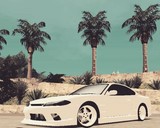
![Lampadati Cinquemila [Moving Steering Wheel \ Tuning \ Liveries]](/img/202202/b/1645131188_1.jpg)
![Lampadati Cinquemila [Moving Steering Wheel \ Tuning \ Liveries]](/img/202202/b/1645131188_2.jpg)
![Lampadati Cinquemila [Moving Steering Wheel \ Tuning \ Liveries]](/img/202202/b/1645131188_3.jpg)
![Lampadati Cinquemila [Moving Steering Wheel \ Tuning \ Liveries]](/img/202202/b/1645131188_4.jpg)
![Lampadati Cinquemila [Moving Steering Wheel \ Tuning \ Liveries]](/img/202202/b/1645131188_5.jpg)
![Lampadati Cinquemila [Moving Steering Wheel \ Tuning \ Liveries]](/img/202202/b/1645131188_6.jpg)
![Lampadati Cinquemila [Moving Steering Wheel \ Tuning \ Liveries]](/img/202202/b/1645131188_7.jpg)
![Lampadati Cinquemila [Moving Steering Wheel \ Tuning \ Liveries]](/img/202202/b/1645131188_8.jpg)
Filmy
Nie dodano jeszcze filmów.Zaloguj się, żeby dodać film do tego moda.
Opis
Lampadati Cinquemila [Moving Steering Wheel \ Tuning \ Liveries]
Original model: Rockstar Games
Porting: Milcin
The car has 114 tuning parts.
Also in the archive there is a version without tuning, in the NT folder.
CAR REQUIRES THIS TRAINER 21.09.26.1 AND UP TO WORK PROPERLY https://gtaforums.com/topic/896795-1000-1080-zolika1351s-trainermod-menu-rewritten/
Use https://gtaforums.com/topic/955449-iv-zolikapatch/ to make the steering wheel move and engine & exhaust shake
Be sure to read the Readme.
P.S. I decided to add large carbon tuning parts (I didn’t do this before), but the carbon looks strange on large parts. Small details are fine. If anyone knows how to fix this, please tell me to make it look nice!)
Have a good game!)
Original model: Rockstar Games
Porting: Milcin
The car has 114 tuning parts.
Also in the archive there is a version without tuning, in the NT folder.
CAR REQUIRES THIS TRAINER 21.09.26.1 AND UP TO WORK PROPERLY https://gtaforums.com/topic/896795-1000-1080-zolika1351s-trainermod-menu-rewritten/
Use https://gtaforums.com/topic/955449-iv-zolikapatch/ to make the steering wheel move and engine & exhaust shake
Be sure to read the Readme.
P.S. I decided to add large carbon tuning parts (I didn’t do this before), but the carbon looks strange on large parts. Small details are fine. If anyone knows how to fix this, please tell me to make it look nice!)
Have a good game!)
Komentarze
Liczba dodanych komentarzy: 7.


08/10/2022 10:03
Sorry, I just noticed that my car mods are missing sound. To fix this, do the following:
1 - If you added a car, but did not replace the vanilla one - open the "vehicles.ide" file along the path: \Grand Theft Auto IV\common\data\vehicles.ide;
- If you have "IV Tweaker" installed - open the file "vehicles.ide" along the path: \Grand Theft Auto IV\modloader\NAME OF THE CAR MOD\vehicles.ide;
1.1 - Find the line with the new added car, for example "SM77" there will be this line: sm722, sm722, car, SM722, SM722, VEH@LOW, VEH@LOW_CONV, 1, 1, 0.2965, 0.2965, 0, 5, 1.0, 0, ext_conv+ext_strong+wheelangle:-25.0+livery;
1.2 - You need to rename the 5th item in this line in capital letters to get the following: sm722, sm722, car, SM722, BANSHEE, (you can write any name of the vanilla car whose sound you want to use in the game).
Once again I apologize for the inconvenience.
Cytuj | Odpowiedz | (0)
Sorry, I just noticed that my car mods are missing sound. To fix this, do the following:
1 - If you added a car, but did not replace the vanilla one - open the "vehicles.ide" file along the path: \Grand Theft Auto IV\common\data\vehicles.ide;
- If you have "IV Tweaker" installed - open the file "vehicles.ide" along the path: \Grand Theft Auto IV\modloader\NAME OF THE CAR MOD\vehicles.ide;
1.1 - Find the line with the new added car, for example "SM77" there will be this line: sm722, sm722, car, SM722, SM722, VEH@LOW, VEH@LOW_CONV, 1, 1, 0.2965, 0.2965, 0, 5, 1.0, 0, ext_conv+ext_strong+wheelangle:-25.0+livery;
1.2 - You need to rename the 5th item in this line in capital letters to get the following: sm722, sm722, car, SM722, BANSHEE, (you can write any name of the vanilla car whose sound you want to use in the game).
Once again I apologize for the inconvenience.
Cytuj | Odpowiedz | (0)
02/18/2022 18:39
@orangebrains
I don't think the texture is the problem. For example I take a 256x256 carbon fiber texture, then copy it to a new 512x512. It turns out 4 by 256x256. Large tuning parts become normal, and small ones are simply gray. It seems to increase the texture, as if under a magnifying glass. The carbon texture is one for small and large details. As I understand it, the shader is also one for all the details, which means that in some file you need to change some numbers, or something like that. I'm not good at this, or rather not at all.)))
But, if you are right, then I will be grateful for the files.)
Cytuj | Odpowiedz | (0)
@orangebrains
I don't think the texture is the problem. For example I take a 256x256 carbon fiber texture, then copy it to a new 512x512. It turns out 4 by 256x256. Large tuning parts become normal, and small ones are simply gray. It seems to increase the texture, as if under a magnifying glass. The carbon texture is one for small and large details. As I understand it, the shader is also one for all the details, which means that in some file you need to change some numbers, or something like that. I'm not good at this, or rather not at all.)))
But, if you are right, then I will be grateful for the files.)
Cytuj | Odpowiedz | (0)