GTA III / Skiny
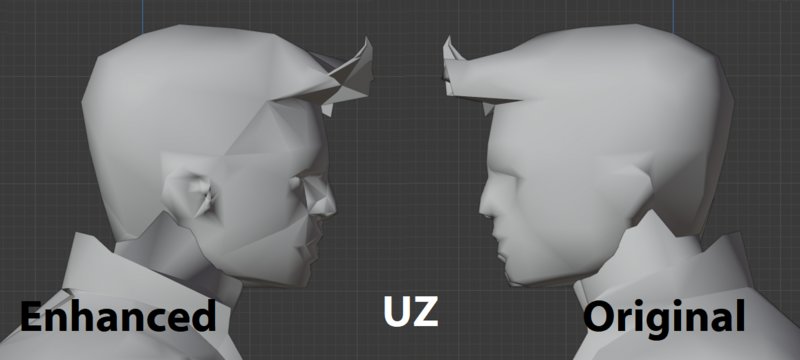
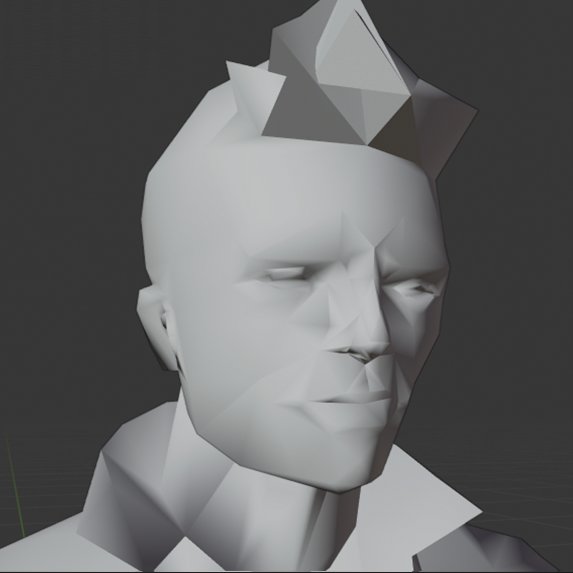
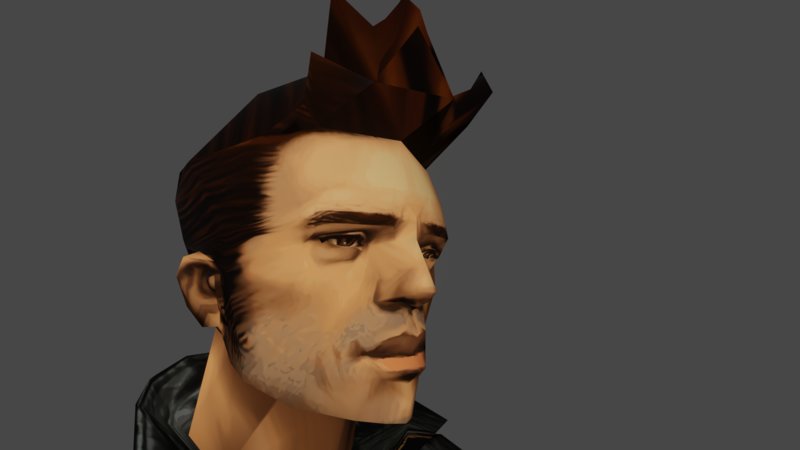
Enhanced player DFF and Skin
- Uzublecker | dodane przez uzublecker
- 11/03/2020
- 6707 Pobrania
Oceny:
Najpierw się zaloguj.
Ulubione:
Pobierz
20.97Mb
Odsetek antywirusów, które wykryły zagrożenie: 0%
Zobacz raport skanowania antywirusowego
20.97Mb
Odsetek antywirusów, które wykryły zagrożenie: 0%
Zobacz raport skanowania antywirusowego
.jpg)
.jpg)
.jpg)
Filmy
Nie dodano jeszcze filmów.Zaloguj się, żeby dodać film do tego moda.
Opis
In this mod I tried to enhance the original PC player DFF by doing more polygons (For example trying to make an eye in the flat part of it in the original DFF).
*Instalation*
1- With your Img editor of preference (example IMGTOOL) Open your
Grand Theft Auto IMG file (gta3.img).
2- After open it you must delete PLAYER.DFF and PLAYER.TXD (this .ZIP
INCLUDE a DFF BACKUP. If you want another one you can EXTRACT the
ORIGINAL FILES from your gta3.img copy.
3- After this you MUST ADD the DFF and TXD files in your IMG file
4- REBUILD your IMG file
5- CLOSE IT before you START A NEW GAME
6- MOVE the PLAYER.BMP to your SKIN FOLDER
7- ENJOY
This mod also include a Upscaled player.bmp and txd for the IMG file.
The .ZIP also include a BACKUP of the DFF
-Uzublecker
*Instalation*
1- With your Img editor of preference (example IMGTOOL) Open your
Grand Theft Auto IMG file (gta3.img).
2- After open it you must delete PLAYER.DFF and PLAYER.TXD (this .ZIP
INCLUDE a DFF BACKUP. If you want another one you can EXTRACT the
ORIGINAL FILES from your gta3.img copy.
3- After this you MUST ADD the DFF and TXD files in your IMG file
4- REBUILD your IMG file
5- CLOSE IT before you START A NEW GAME
6- MOVE the PLAYER.BMP to your SKIN FOLDER
7- ENJOY
This mod also include a Upscaled player.bmp and txd for the IMG file.
The .ZIP also include a BACKUP of the DFF
-Uzublecker
Komentarze
Liczba dodanych komentarzy: 11.








02/06/2021 07:14
Cytuj | Odpowiedz | (1)
oh okay, that sounds good. i will wait for your next modQuote: uzublecker
@hackimplay Sorry for very late response. I'm a newbie in the world of modding so don't know how to work with that one. For example, this Claude is separated in limbs. I edited one by one to create this "enhanced model". I've doing stuff like this with San Andreas character but they looks so buggy. Also I am working with Blender. It would be more professional working with 3Ds MAX or MAYA.
At the moment of this reply I've working 70 percent of the next player model "female Claude" or Claudia
Cytuj | Odpowiedz | (1)
02/06/2021 03:24
@hackimplay Sorry for very late response. I'm a newbie in the world of modding so don't know how to work with that one. For example, this Claude is separated in limbs. I edited one by one to create this "enhanced model". I've doing stuff like this with San Andreas character but they looks so buggy. Also I am working with Blender. It would be more professional working with 3Ds MAX or MAYA.
At the moment of this reply I've working 70 percent of the next player model "female Claude" or Claudia
Cytuj | Odpowiedz | (0)
@hackimplay Sorry for very late response. I'm a newbie in the world of modding so don't know how to work with that one. For example, this Claude is separated in limbs. I edited one by one to create this "enhanced model". I've doing stuff like this with San Andreas character but they looks so buggy. Also I am working with Blender. It would be more professional working with 3Ds MAX or MAYA.
At the moment of this reply I've working 70 percent of the next player model "female Claude" or Claudia
Cytuj | Odpowiedz | (0)


11/04/2020 13:55
Cytuj | Odpowiedz | (1)
thanksQuote: ChristianDrury
I am making a good salary from home $1200-$2500/week , which is amazing, under a year back I was jobless in a horrible economy. I thank God every day I was blessed with these instructions and now it's my duty to pay it forward and share it with Everyone,Try it, you won't regret it...Here For MORE INFO PLEASE Just Copy and PASTE this SITE....
https://is.gd/g0byKc
Cytuj | Odpowiedz | (1)